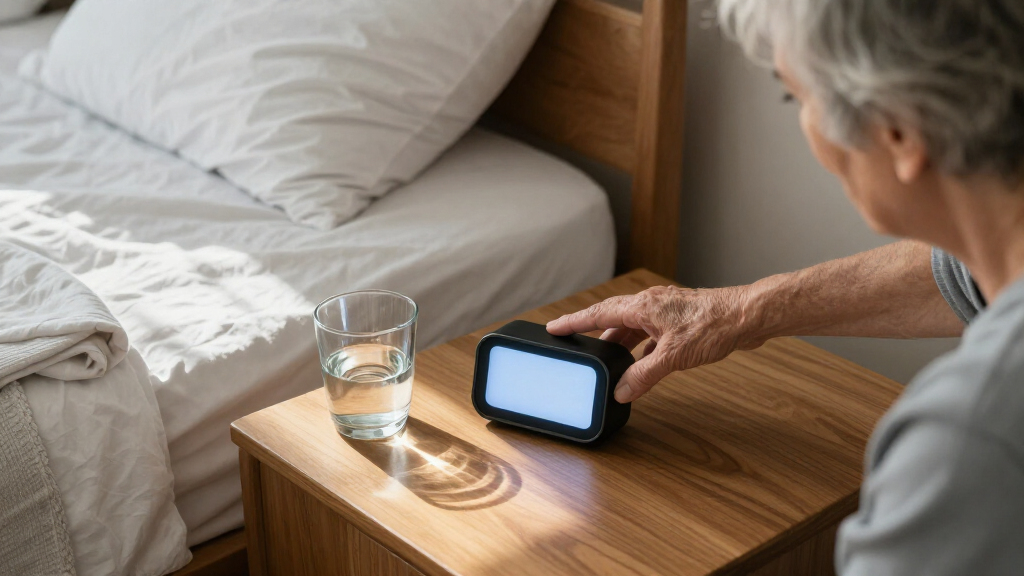

The best smart alarm clocks for seniors make the time easy to read and daily routines easier to follow, without adding confusing controls. I rank the American Lifetime 8-Inch Digital Alarm Clock as the best overall for its senior-focused, large display; the Mitoart Digital Alarm Clock stands out for voice announcements, while the Raynic 7-Inch Digital Date Clock suits people who need many reminders. The main tradeoff is between a simple clock with clear time and date and a feature-rich model with more alarms, prompts, or settings to learn. Power backup, display brightness, and bedside space also affect which option fits best. Read on for the full breakdown, selection criteria, and advice for matching a clock to the person who will use it.

Get wellness gear delivered free with Prime
- Fast, free delivery on millions of items
- Prime Video, Amazon Music and more included
- Member-only deals all year
Key Takeaways
- Display clarity sets the shortlist: The American Lifetime’s 8-inch screen and several 7-inch calendar clocks prioritize at-a-glance readability more directly than compact models such as the Amazon Basics oval clock.
- Voice announcements serve a distinct need: The Mitoart adds spoken date and time information, which can help when reading a display is difficult, but its extra functions may be unnecessary for someone who only wants a dependable wake-up alarm.
- Reminder capacity varies widely: The Raynic offers 20 alarms and 20 reminders, while simpler clocks keep the routine easier to manage with fewer scheduling options.
- Automatic time setting is separate from senior-friendly design: DreamSky Auto Set and Sharp AccuSet address clock setup and daylight-saving changes, but buyers still need to check display size, controls, and alarm usability.
- Feature count is not the same as fit: USB charging, temperature readings, dual alarms, and nightlights can be useful, yet they should not outweigh clear time display and straightforward everyday operation.
| American Lifetime 8-Inch Digital Alarm Clock for Seniors |  | Best for Multiple Daily Reminders | Display: 8-inch digital display | Dimensions: 8.5 in W × 6.5 in H | Mounting: Wall mount | VIEW LATEST PRICE | See Our Full Breakdown |
| Peakeep Digital Alarm Clock with Large LED Display and USB Charger |  | Best for Adjustable Wake-Up Alerts | Display: LED with 2-inch digits | Brightness: 5 settings | Alarm volume: 5 settings | VIEW LATEST PRICE | See Our Full Breakdown |
| Mitoart Digital Alarm Clock with Date, Day, Voice Announcements, and Multiple Alarms |  | Best for Spoken Time Announcements | Model: DC07 | Display: 7 inches | Dimensions: 5.6 in W × 7.8 in H | VIEW LATEST PRICE | See Our Full Breakdown |
| Amazon Basics Small Oval Digital Alarm Clock with Nightlight and Battery Backup |  | Best Compact Nightstand Pick | Display: 0.7-inch green LED | Power: AC powered | Backup: 9V battery; retains time and alarm settings for up to 8 hours | VIEW LATEST PRICE | See Our Full Breakdown |
| DreamSky Digital Alarm Clock with Battery Backup and Auto Set |  | Best for Hands-Off Timekeeping | Display: 5-inch digital LCD | Display information: Time, date, weekday, and temperature | Brightness: 6 levels with automatic dimming | VIEW LATEST PRICE | See Our Full Breakdown |
| DreamSky Large Digital Clock with Date, Day, and Indoor Temperature |  | Best for At-a-Glance Room Information | Display: 7.6-inch digital screen | Information shown: Time, date, day of the week, and indoor temperature | Brightness: Four adjustable levels with automatic dimming | VIEW LATEST PRICE | See Our Full Breakdown |
| 7-Inch Digital Clock with Date, Weekday, Alarms, and Reminders for Seniors |  | Best for Flexible Daily Routines | Display: 7-inch LCD, 1024 × 600 | Alarms and reminders: Up to 20 alarms and 20 custom reminders | Brightness and volume: 10 brightness levels and nine volume levels | VIEW LATEST PRICE | See Our Full Breakdown |
| FLYRUIT 7-Inch Digital Dementia Clock with Alarms and Reminders |  | Best for Wall-Mount Placement | Display: 7-inch IPS, 1024 × 600 | Display information: Time, date, weekday, and time-of-day phase | Alarms and reminders: Six programmable alarms and ten customizable reminders | VIEW LATEST PRICE | See Our Full Breakdown |
| Sharp AccuSet Self-Setting Alarm Clock with Auto DST and Green LED |  | Best for Simple, Low-Setup Timekeeping | Display: Digital green LED | Time features: Automatic time setting and daylight saving time adjustment | Alarm: Alarm clock | VIEW LATEST PRICE | See Our Full Breakdown |
| 7-Inch Digital Calendar Clock with Day, Date, and Alarms |  | Best for Photo Playback and Customization | Display: 7-inch HD LCD, 1024 × 600 | Display information: Time, date, day of the week, and time-of-day icons | Alarms and reminders: Up to 20 alarms and 20 reminders | VIEW LATEST PRICE | See Our Full Breakdown |
| Odokee Digital Alarm Clock with Large Display |  | Best for Adjustable Wake-Ups | Display: Digital LED, 2-inch numbers | Dimensions: 5.5 in W × 4 in H | Brightness: 5 levels | VIEW LATEST PRICE | See Our Full Breakdown |
| Emerson SmartSet CKS1900 Dual Alarm Clock Radio |  | Best for Automatic Timekeeping | Model: CKS1900 | Display: 0.9-inch jade green LED with 4-level dimmer | Radio: Digital PLL AM/FM | VIEW LATEST PRICE | See Our Full Breakdown |
| JALL Digital Alarm Clock with Date, Day, Temperature, Dual Alarms, and USB Charging |  | Best for Flexible Household Schedules | Display: 5.5-inch digital screen with large LED digits | Information shown: Time, day, date, and indoor temperature | Brightness: 6 levels, 5%–100% | VIEW LATEST PRICE | See Our Full Breakdown |
| Raynic 7-Inch Digital Date Clock with 12 Themes, 20 Alarms, and 20 Reminders |  | Best for Multiple Reminders | Model: CR1029 | Display: 7-inch digital LED | Alarms: 20 | VIEW LATEST PRICE | See Our Full Breakdown |
| smart alarm clocks for senior | Display | Power | Dimensions | Brightness |
|---|---|---|---|---|
| American Lifetime 8-Inch Digit | 8-inch digital display | Corded electric | 8.5 in W × 6.5 in H | — |
| Peakeep Digital Alarm Clock wi | LED with 2-inch digits | AC adapter included | — | 5 settings |
| Mitoart Digital Alarm Clock wi | 7 inches | Corded electric | 5.6 in W × 7.8 in H | — |
| Amazon Basics Small Oval Digit | 0.7-inch green LED | AC powered | 4.5 × 3.5 × 2.4 inches | — |
| DreamSky Digital Alarm Clock w | 5-inch digital LCD | USB-powered; USB cable included | — | 6 levels with automatic dimming |
| DreamSky Large Digital Clock w | 7.6-inch digital screen | Corded electric with battery backup | — | Four adjustable levels with automatic dimming |
| 7-Inch Digital Clock with Date | 7-inch LCD, 1024 × 600 | Included power adapter; two AA backup batteries required, not included | — | — |
| FLYRUIT 7-Inch Digital Dementi | 7-inch IPS, 1024 × 600 | Corded electric; must remain plugged in | — | Automatic adjustment and five manual levels |
| Sharp AccuSet Self-Setting Ala | Digital green LED | Corded electric with battery backup | 5.5 inches wide × 2.6 inches high | Auto-dimming |
| 7-Inch Digital Calendar Clock | 7-inch HD LCD, 1024 × 600 | Included power adapter; two AA backup batteries required, not included | — | — |
| Odokee Digital Alarm Clock wit | Digital LED, 2-inch numbers | — | 5.5 in W × 4 in H | 5 levels |
| Emerson SmartSet CKS1900 Dual | 0.9-inch jade green LED with 4-level dimmer | Corded electric | 6.1 in W × 4.9 in H | — |
| JALL Digital Alarm Clock with | 5.5-inch digital screen with large LED digits | — | 3.2 in W × 5.2 in H | 6 levels, 5%–100% |
| Raynic 7-Inch Digital Date Clo | 7-inch digital LED | AC adapter | 4.69 in W × 0.96 in H; depth not specified | Adjustable with semi-automatic dimming |
More Details on Our Top Picks
American Lifetime 8-Inch Digital Alarm Clock for Seniors
For seniors who need more than a wake-up alarm, the American Lifetime 8-Inch makes the day easier to track at a glance: its high-contrast display shows the time, period of day, full weekday, month, and date. It supports up to five daily alarms, which can help organize recurring reminders without relying on a separate device. Compared with the Mitoart DC07, it offers wall mounting and a larger listed display, while the Mitoart adds spoken time announcements for people who prefer audio support. Automatic dimming can reduce glare as room lighting changes. The tradeoff is that this clock needs a power outlet for operation, and the backup battery details do not specify battery type or outage duration. I’d choose it for visible calendar information and multiple reminders, not for voice guidance.
Pros:- Large, high-contrast display shows the weekday, month, date, and time
- Supports up to five daily alarms
- Automatic dimming adjusts display brightness to ambient light
- Battery backup helps preserve the time and date during outages
Cons:- Requires corded electric power for operation
- Backup battery type and duration are not specified
Best for: Seniors who want a large wall-mountable calendar display and several daily alarms for routine reminders.
Not ideal for: People who need spoken time announcements or a clock that can operate away from an outlet.
- Display:8-inch digital display
- Dimensions:8.5 in W × 6.5 in H
- Mounting:Wall mount
- Alarms:Up to 5 daily alarms
- Power:Corded electric
- Additional features:Auto-dimming, battery backup, multiple languages and time formats
- Frame:Silver ABS
- Warranty:Limited
Our verdict“Choose this clock if a large calendar display and several daily reminders matter more than voice announcements or cordless placement.”
Peakeep Digital Alarm Clock with Large LED Display and USB Charger
The Peakeep focuses on the two bedside settings that can make an alarm easier to live with: five brightness levels for the display and five alarm-volume levels. That adjustability gives it an advantage over the DreamSky Digital Alarm Clock with Battery Backup and Auto Set, whose alarm volume is not adjustable. Its 2-inch LED digits are intended to remain readable from a distance, though they do not provide the weekday, date, or temperature information shown by the DreamSky. A 9-minute snooze and USB charging port add useful bedside functions without making the clock’s main job complicated. The tradeoff is the separate backup power requirement: two AAA batteries are needed and are not included. I’d pick it for flexible alarm loudness, not for a senior who needs multiple reminders or a full calendar display.
Pros:- 2-inch LED digits are designed for viewing from a distance
- Five display brightness settings and five alarm-volume settings
- 9-minute snooze and one USB charging port
- Backup batteries can preserve settings and trigger the alarm during a power outage
Cons:- Two AAA backup batteries are required and not included
- Does not display the weekday or date
- Provides less reminder flexibility than clocks with multiple alarms
Best for: Seniors who want to tune both display brightness and alarm loudness, with a simple bedside USB charging port.
Not ideal for: Buyers who need the weekday and date on the display, several alarms, or backup batteries included.
- Display:LED with 2-inch digits
- Brightness:5 settings
- Alarm volume:5 settings
- Snooze:9 minutes
- USB charging:1 port
- Power:AC adapter included
- Backup batteries:2 AAA batteries required; not included
- Dimensions and weight:7 W × 3.3 H inches; 6.4 ounces
Our verdict“Choose the Peakeep if adjustable alarm loudness and clear bedside digits matter more than calendar details or multiple reminders.”
Mitoart Digital Alarm Clock with Date, Day, Voice Announcements, and Multiple Alarms
The Mitoart DC07 is the strongest fit here for someone who benefits from hearing the time as well as seeing it. Its voice announcement feature supports nine languages, while the 7-inch display presents day, date, and time in large text. Multiple alarms and reminders extend its usefulness beyond a basic wake-up clock, and automatic day-and-night dimming can keep the screen from being overly bright in a dark room. Compared with the American Lifetime 8-Inch, this model adds spoken time and tabletop placement, but gives up wall mounting and a larger listed display. Its main limitation is practical rather than feature-based: it needs corded power, so placement depends on an outlet. I’d favor it when spoken guidance is more useful than a wall display or a clock that can be moved freely.
Pros:- Announces the time in nine languages
- Large display shows the day, month, and date
- Supports multiple alarms and reminders
- Automatic day-and-night dimming adjusts display brightness
Cons:- Corded power limits placement to locations near an outlet
- Tabletop design may be less suitable than a wall clock for viewing across a room
Best for: Seniors who find spoken time helpful and want a tabletop clock with visible date details and multiple reminders.
Not ideal for: People who need a battery-powered clock or want a wall-mounted display positioned across the room.
- Model:DC07
- Display:7 inches
- Dimensions:5.6 in W × 7.8 in H
- Weight:0.44 kg
- Power:Corded electric
- Mounting:Tabletop
- Features:Voice time announcement in nine languages, multiple alarms and reminders, auto-dimming, day and night modes
- Frame and color:Plastic; black
Our verdict“Choose the Mitoart if hearing the time announced is a priority and a corded tabletop setup works for the room.”
Amazon Basics Small Oval Digital Alarm Clock with Nightlight and Battery Backup
This Amazon Basics clock suits a different need from the larger senior-focused displays: it keeps the bedside setup small and simple, with a built-in nightlight and repeating snooze. The backup battery can retain the time and alarm settings for up to eight hours, a more clearly stated duration than the backup information supplied for the American Lifetime 8-Inch. But its 0.7-inch green LED display is much smaller than the Peakeep’s 2-inch digits, making it a weaker choice for anyone who needs to read the time from across a bedroom. It also does not show the date or weekday. I’d choose it for a close bedside position where compact size and a little nighttime illumination matter; seniors who rely on large text should opt for a larger display.
Pros:- Compact tabletop design fits a small nightstand
- Built-in nightlight offers bedside illumination
- 9V battery backup retains time and alarm settings for up to 8 hours
- Repeating snooze function
Cons:- 0.7-inch display is smaller than the digits on the Peakeep
- 9V backup battery is not included
- Does not display the weekday or date
Best for: Seniors who keep a clock within easy reach and want a compact alarm with a nightlight and defined backup retention.
Not ideal for: People with low vision or anyone who needs large, room-readable digits or a displayed weekday and date.
- Display:0.7-inch green LED
- Power:AC powered
- Backup:9V battery; retains time and alarm settings for up to 8 hours
- Features:Nightlight and repeating snooze
- Dimensions:4.5 × 3.5 × 2.4 inches
- Weight:0.4 pounds (91 g)
- Shape and color:Oval; black
- Mounting:Tabletop
Our verdict“Choose this clock for a compact bedside setup with a nightlight, but skip it if large, easily readable digits are the priority.”
DreamSky Digital Alarm Clock with Battery Backup and Auto Set
DreamSky is the most convenient pick for people who do not want to adjust the clock manually: it sets the time automatically and handles time-zone selection and daylight saving time. Its 5-inch display also shows the date, weekday, and temperature, with six brightness levels and automatic dimming to adapt to changing room light. Compared with the Peakeep, it offers more calendar information and automatic timekeeping, but the Peakeep is the better choice for users who need to adjust alarm loudness. DreamSky has only one alarm with fixed volume, so it is less suitable for separate medication or routine reminders. Backup information is also inconsistent: the listing names a CR2032 cell and separately mentions three AAA batteries. I’d choose it for low-effort clock setting, provided that ambiguity is acceptable.
Pros:- Automatically sets time and supports selectable time zones and daylight-saving changes
- 5-inch display shows time, date, weekday, and temperature
- Six brightness levels plus automatic dimming
- Includes a USB charging port for another device
Cons:- Only one alarm is available and its volume is not adjustable
- Backup battery details conflict between a CR2032 cell and three AAA batteries
- Requires USB power for normal operation
Best for: Seniors who want automatic time setting, daylight-saving adjustment, and a display that includes the weekday and date.
Not ideal for: People who need multiple alarms, adjustable alarm volume, or clearly specified backup battery requirements.
- Display:5-inch digital LCD
- Display information:Time, date, weekday, and temperature
- Brightness:6 levels with automatic dimming
- Alarm:Single beeping alarm with 8-minute snooze; fixed volume
- Power:USB-powered; USB cable included
- USB ports:2 total, including 1 for device charging
- Time features:Auto set, selectable time zones, and automatic daylight-saving adjustment
- Backup battery:Listing gives conflicting details: CR2032 button cell and 3 AAA batteries, not included
- Dimensions and weight:Approximately 6.1 × 4 × 1.5 inches; 10.56 ounces
Our verdict“Choose DreamSky for automatic timekeeping and a useful calendar display, but look elsewhere if alarm-volume control or several reminders are needed.”
DreamSky Large Digital Clock with Date, Day, and Indoor Temperature
I’d choose this DreamSky for someone who benefits from seeing more than the time without managing a complicated reminder system. Its 7.6-inch display puts the date, weekday, and indoor temperature alongside the clock, while four brightness levels and automatic dimming help adapt the screen to changing light. Compared with the 7-inch FLYRUIT, it adds a temperature reading and USB charging, but offers no programmable reminders. The four alarm-volume levels are useful for tailoring the wake-up sound, though buyers who need several daily prompts should look instead at the 7-Inch Digital Clock with Date, Weekday, Alarms, and Reminders. It needs an adapter for normal operation; backup batteries help preserve settings rather than replace outlet power. The plastic case is practical, not especially substantial.
Pros:- 7.6-inch screen shows time, date, weekday, and indoor temperature together
- Automatic dimming and four brightness settings help control nighttime glare
- Four alarm-volume levels allow some adjustment to hearing needs
- USB charging port and desktop or wall-mount placement add flexibility
Cons:- Requires an adapter for normal operation; backup batteries do not make it a portable clock
- Plastic construction may feel less durable than a more substantial bedside device
- No customizable reminders for medication or daily tasks
Best for: Older adults who want a large, simple display with the date, weekday, and room temperature visible from across a bedroom
Not ideal for: People who need multiple medication or appointment reminders, or anyone seeking a clock that runs without an outlet
- Display:7.6-inch digital screen
- Information shown:Time, date, day of the week, and indoor temperature
- Brightness:Four adjustable levels with automatic dimming
- Alarm volume:Four adjustable levels
- Power:Corded electric with battery backup
- Additional features:Automatic daylight saving time adjustment and USB charging port
- Placement:Desktop or wall mount
- Dimensions and material:7.9 × 4.9 × 1.2 inches; plastic
Our verdict“Choose this DreamSky if a large, glanceable display with temperature matters more than programmable reminders.”
7-Inch Digital Clock with Date, Weekday, Alarms, and Reminders for Seniors
This model earns its place for households that want one tabletop clock to handle a detailed schedule. It supports up to 20 alarms and 20 reminders, plus adjustable brightness, volume, and snooze timing, giving caregivers room to set distinct prompts for recurring activities. The 7-inch screen shows the time, date, and weekday; compared with the FLYRUIT 7-Inch Digital Dementia Clock, it offers more alarm and reminder slots and photo playback, while the FLYRUIT can be wall-mounted and has automatic brightness adjustment. The extra options make this a better fit for a complex routine, but also mean more settings to configure than a straightforward clock such as the Sharp AccuSet. It must stay plugged in, and the backup batteries and photo storage are not included. I’d pick it when schedule flexibility matters more than simple setup.
Pros:- Supports up to 20 alarms and 20 customizable reminders
- Ten brightness levels, nine volume levels, and three snooze intervals allow detailed adjustment
- Large screen displays the time, date, and weekday
- Can play photos from a separately supplied SD card or USB drive
Cons:- Requires the included power adapter for operation
- Two AA backup batteries and photo storage devices are not included
- Tabletop-only placement limits positioning compared with wall-mountable options
Best for: Older adults and caregivers who need separate clock alarms and reminders for several daily activities
Not ideal for: People who want a very simple bedside alarm, dislike configuring multiple settings, or need wall mounting
- Display:7-inch LCD, 1024 × 600
- Alarms and reminders:Up to 20 alarms and 20 custom reminders
- Brightness and volume:10 brightness levels and nine volume levels
- Snooze:3-, 5-, or 9-minute options
- Themes and ringtones:12 display themes and 18 ringtones
- Power:Included power adapter; two AA backup batteries required, not included
- Photo playback:SD card or USB drive; storage devices not included
- Dimensions and placement:7.17 inches wide × 4.6 inches high; tabletop
- Languages and time format:Six languages; 12-hour or 24-hour format
Our verdict“Pick this clock for a busy routine that needs many separate prompts, not for a minimal alarm setup.”
FLYRUIT 7-Inch Digital Dementia Clock with Alarms and Reminders
I’d favor the FLYRUIT when the clock needs to be readable from across a room or placed where a bedside table is not practical. Its 7-inch IPS display presents the date, weekday, and time-of-day phase, and it can sit on a tabletop or mount on a wall. Compared with the DreamSky Large Digital Clock, it gives up the temperature readout and USB charging but adds six alarms and ten reminders for routine prompts. Automatic brightness adjustment is a useful convenience, with five manual levels available when the screen needs further tuning. The 7-Inch Digital Clock with Date, Weekday, Alarms, and Reminders offers more alarm and reminder slots, so I’d choose that instead for a heavily scheduled day. This FLYRUIT remains a corded clock and requires its included adapter.
Pros:- 7-inch IPS screen shows time, date, weekday, and time-of-day phase
- Six programmable alarms and ten customizable reminders support routine prompts
- Automatic brightness adjustment plus five manual levels
- Can be used on a tabletop or mounted on a wall
Cons:- Must remain plugged in and use the included original power adapter
- Fewer alarm and reminder slots than the 20-alarm, 20-reminder alternatives
- Does not include the temperature display or USB charging found on the DreamSky Large Digital Clock
Best for: Older adults who need a large date-and-day display mounted on a wall, with a moderate number of routine reminders
Not ideal for: People who need many separate daily prompts, battery operation, or a temperature reading and charging port
- Display:7-inch IPS, 1024 × 600
- Display information:Time, date, weekday, and time-of-day phase
- Alarms and reminders:Six programmable alarms and ten customizable reminders
- Brightness:Automatic adjustment and five manual levels
- Time format:12-hour or 24-hour
- Power:Corded electric; must remain plugged in
- Placement:Wall mount or tabletop
- Display options:Eight languages, four display styles, and four color themes
- Warranty:12 months
Our verdict“Choose the FLYRUIT if wall mounting and a clear day-and-time display matter more than extensive scheduling features.”
Sharp AccuSet Self-Setting Alarm Clock with Auto DST and Green LED
The Sharp AccuSet is the clearest choice here for someone who wants a conventional alarm clock without a schedule full of reminders. Its automatic time setting and daylight saving adjustment reduce the need to correct the clock manually, while battery backup helps retain settings during a power interruption. Compared with the larger DreamSky and FLYRUIT calendar clocks, the Sharp is much more compact and focused: it does not show the date, weekday, or multiple reminders, but its simple purpose may suit someone who finds feature-heavy screens confusing. The green LED display is easy to read, though this small tabletop model offers less information at a glance than the 7-inch options. It still relies on an outlet for normal operation, and its plastic body keeps the design basic.
Pros:- Automatically sets the time and adjusts for daylight saving time
- Green LED display is easy to read
- Battery backup helps retain settings during power interruptions
- Compact tabletop footprint fits a small bedside surface
Cons:- Small display shows less information than the 7-inch calendar clocks
- Requires an electrical outlet for regular operation
- Plastic construction and simple feature set may not suit buyers seeking a more capable display
Best for: Older adults who want a straightforward bedside alarm with automatic time and daylight saving adjustments
Not ideal for: People who need a large calendar-style display, visible weekday and date, or several daily reminders
- Display:Digital green LED
- Time features:Automatic time setting and daylight saving time adjustment
- Alarm:Alarm clock
- Brightness:Auto-dimming
- Power:Corded electric with battery backup
- Placement:Tabletop, indoor use
- Dimensions:5.5 inches wide × 2.6 inches high
- Material and color:Plastic; black with green LED
Our verdict“Choose the Sharp AccuSet for uncomplicated, self-setting timekeeping, but choose a larger calendar clock if date and weekday visibility are priorities.”
7-Inch Digital Calendar Clock with Day, Date, and Alarms
This 7-inch calendar clock suits buyers who want a configurable display and the option to show personal photos, alongside alarms and reminders. Its 20 alarms and 20 reminders match the scheduling capacity of the other 7-inch multi-reminder clock in this group, while 10 brightness levels, nine volume levels, and 12 themes provide plenty of adjustment. Compared with the FLYRUIT, it offers more alarm and reminder slots and photo playback, but gives up wall mounting and automatic brightness adjustment. The tabletop design is straightforward, though the range of settings may take time for a caregiver to configure. It operates from an outlet; two AA batteries can retain settings during power interruptions but are not included. USB or SD photo storage must also be supplied separately.
Pros:- Displays time, date, weekday, and time-of-day icons on a 7-inch screen
- Up to 20 alarms and 20 reminders can support a detailed daily schedule
- Ten brightness levels, nine volume levels, and 12 display themes offer broad customization
- Supports photo playback from a USB drive or SD card
Cons:- Requires an outlet and the included power adapter for operation
- Two AA backup batteries and USB or SD photo storage are not included
- Tabletop-only placement is less flexible than the wall-mountable FLYRUIT
Best for: Caregivers and older adults who want a tabletop calendar clock with many reminders, adjustable presentation, and optional photo playback
Not ideal for: People who need wall mounting, automatic brightness adjustment, or a clock that works without mains power
- Display:7-inch HD LCD, 1024 × 600
- Display information:Time, date, day of the week, and time-of-day icons
- Alarms and reminders:Up to 20 alarms and 20 reminders
- Brightness and volume:10 brightness levels and nine volume levels
- Themes and ringtones:12 display themes and 18 ringtones
- Power:Included power adapter; two AA backup batteries required, not included
- Photo playback:USB flash drive or SD card; storage devices not included
- Placement and dimensions:Tabletop; 7.17 inches wide × 4.6 inches high
- Languages and time format:Six languages; 12-hour or 24-hour format
Our verdict“Choose this model for a customizable tabletop display and photo playback; pick the FLYRUIT if wall mounting is more useful.”
Odokee Digital Alarm Clock with Large Display
For seniors who want a clock that is easy to read and a wake-up routine they can tailor, the Odokee combines 2-inch digits with five brightness levels and alarm volume from 30 to 110 dB. Five wake-up sounds offer more choice than the Emerson SmartSet CKS1900’s radio-or-buzzer approach, while its 8-color night light adds a gentle bedside glow. A USB port can charge a device, though the clock itself needs an outlet for its display to stay lit. Its battery backup preserves the alarm rather than keeping the screen visible, so it is less suitable as an outage-ready clock than a model with a continuously readable display. I’d choose it for customizable wake-ups, not for cordless use.
Pros:- 2-inch digits are easier to see from across a bedroom than the Emerson’s 0.9-inch display.
- Five brightness levels and a wide adjustable alarm-volume range allow a more tailored bedside setup.
- Five wake-up sounds, a 9-minute snooze, and an 8-color night light provide flexible bedside options.
- USB charging port adds a convenient place to charge a device.
Cons:- The display only lights while the clock is plugged in.
- Two AAA backup batteries are not included, and backup power supports the alarm only.
- Normal operation depends on access to an AC outlet.
Best for: Seniors who want large, adjustable digits, a choice of wake-up sounds, and a bedside night light.
Not ideal for: People who need to read the time during a power outage or want a clock that runs normally on batteries.
- Display:Digital LED, 2-inch numbers
- Dimensions:5.5 in W × 4 in H
- Brightness:5 levels
- Alarm:5 wake-up sounds; 30–110 dB; 9-minute snooze
- Night light:8 colors
- Time format:12-hour or 24-hour
- Power and backup:AC adapter; 2 AAA batteries for alarm backup only, not included
- Charging:USB port
Our verdict“Choose the Odokee if readable digits and customizable sound and light matter more than seeing the time during an outage.”
Emerson SmartSet CKS1900 Dual Alarm Clock Radio
The Emerson SmartSet CKS1900 is a practical fit for seniors who would rather not reset the clock after a time change or a brief power interruption. It sets the time and date automatically, handles daylight saving time and leap years, and has an included backup battery to preserve settings during temporary outages. That convenience sets it apart from the Odokee, whose display goes dark on battery backup, but the Emerson trades larger digits and varied sounds for a 0.9-inch dimmable display and radio-or-buzzer alarms. Its AM/FM radio and 20 presets suit listeners who like waking to familiar stations; people who mainly need an easy-to-read clock may prefer the JALL’s larger display and extra calendar information. The backup battery is nonstandard, which may make replacement less straightforward.
Pros:- Automatically sets time and date, including daylight saving time and leap years.
- Included backup battery preserves settings during temporary power outages.
- Two alarms offer separate schedules and radio or buzzer wake options.
- Digital PLL AM/FM radio stores up to 20 station presets.
Cons:- The 0.9-inch display is smaller than the Odokee’s 2-inch digits and may be harder to read at a distance.
- Requires corded power for normal operation.
- Uses a nonstandard backup battery.
Best for: Seniors who listen to AM/FM radio and want automatic time updates with two separate alarm schedules.
Not ideal for: People who need large, easily read digits or prefer multiple natural-sounding alarm tones over radio or buzzer.
- Model:CKS1900
- Display:0.9-inch jade green LED with 4-level dimmer
- Radio:Digital PLL AM/FM
- Station presets:20
- Alarms:2; radio or buzzer wake options
- Power:Corded electric
- Backup battery:1 included nonstandard battery
- Dimensions:6.1 in W × 4.9 in H
Our verdict“Pick the Emerson if automatic timekeeping and radio alarms matter more than large digits or a wide choice of alarm sounds.”
JALL Digital Alarm Clock with Date, Day, Temperature, Dual Alarms, and USB Charging
The JALL makes sense for a bedside shared by people with different routines: its two independent alarms can be set for everyday, weekdays, or weekends, reducing the need to reprogram schedules each week. The 5.5-inch screen also shows the day, date, and indoor temperature alongside the time, giving it more at-a-glance information than the Odokee, which focuses on large time digits and customizable wake-up sounds. Six brightness levels and five volume settings help tailor the display and alarm, while dual USB ports can charge two devices. Its screen is specified as 5.5 inches, but that does not mean the clock itself is especially wide; check the listed dimensions before buying. It needs corded power, and its backup battery type is described as nonstandard.
Pros:- Shows time, day, date, and indoor temperature on one screen.
- Two independent alarms include everyday, weekday, and weekend schedule modes.
- Six brightness levels and five alarm-volume levels allow adjustments to the bedroom and hearing needs.
- Two USB ports can charge bedside devices at the same time.
Cons:- Requires corded power for operation.
- Backup battery type is listed as nonstandard.
- Does not include a radio alarm or the Odokee’s color night light.
Best for: Couples or seniors with weekday and weekend routines who want two alarm schedules and day, date, and temperature at a glance.
Not ideal for: Buyers who need a clock that operates independently of an outlet or want radio alarms or a night light.
- Display:5.5-inch digital screen with large LED digits
- Information shown:Time, day, date, and indoor temperature
- Brightness:6 levels, 5%–100%
- Alarms:2 independent alarms; everyday, weekday, or weekend modes
- Alarm tones and volume:8 tones; 5 volume levels, 30–85 dB
- Snooze:9 minutes
- Charging:Dual USB ports
- Power and backup:Corded electric; retains time and alarm settings during outages
- Dimensions:3.2 in W × 5.2 in H
Our verdict“Choose the JALL if separate weekly schedules and extra calendar information are more useful than radio or night-light features.”
Raynic 7-Inch Digital Date Clock with 12 Themes, 20 Alarms, and 20 Reminders
The Raynic is aimed at seniors whose bedside clock also needs to prompt daily routines. Its 20 alarms and 20 reminders offer more scheduling capacity than the JALL’s two alarms, making it a better fit for people managing several regular prompts. The 7-inch display shows the time and calendar, and adjustable brightness with semi-automatic dimming helps adapt the screen for different lighting conditions. Twelve display themes add ways to change its appearance, while automatic daylight saving time adjustment reduces one routine clock-setting task. This is a more reminder-focused choice than the Emerson SmartSet CKS1900, which pairs two alarms with radio listening rather than a large set of prompts. The Raynic requires an AC adapter, and its listed dimensions omit depth, so I’d check bedside space before choosing it.
Pros:- 7-inch display presents the time and calendar in a large format.
- 20 alarms and 20 reminders can support more routines than the JALL’s two alarms.
- Adjustable brightness and semi-automatic dimming help manage screen light.
- Automatic daylight saving time adjustment and 12/24-hour format offer timekeeping flexibility.
Cons:- Requires an AC adapter for power.
- Listed dimensions do not include depth, making bedside-space planning less certain.
- Its many alarm and reminder slots may be unnecessary for someone who only needs a basic wake-up alarm.
Best for: Seniors or caregivers who need a large calendar display with multiple daily alarms and routine reminders.
Not ideal for: Buyers who only need one or two wake-up alarms, want a radio, or need a clock that runs without AC power.
- Model:CR1029
- Display:7-inch digital LED
- Alarms:20
- Reminders:20
- Display themes:12
- Time format:12-hour or 24-hour
- Brightness:Adjustable with semi-automatic dimming
- Power:AC adapter
- Dimensions:4.69 in W × 0.96 in H; depth not specified
Our verdict“Choose the Raynic for a large calendar clock with many reminder slots, but skip it if a simple alarm or battery operation is the priority.”

How We Picked
I compared the 14 clocks by how well their features address common bedside needs: readable time and date, alarm accessibility, reminder support, setup demands, and power continuity. I gave more weight to features that can simplify daily use—such as large calendar displays, spoken announcements, auto-setting, and battery backup—than to extras that may matter only to some households, such as USB charging or temperature readings.
The ranking reflects the balance between usefulness and complexity, not the largest feature list. Senior-oriented display and routine support place models such as the American Lifetime, Mitoart, and Raynic ahead for different reasons; compact or radio-style clocks rank better for buyers who want familiar, simpler functions. Because needs vary with vision, memory, hearing, and bedside space, each pick has a distinct role, and the right choice may not be the one ranked highest.
Factors to Consider When Choosing Smart Alarm Clocks For Seniors
Before choosing among smart alarm clocks for seniors, start with the person’s routine and abilities rather than the feature list. A clock used mainly to wake someone has different requirements from one used to orient them to the day or prompt scheduled tasks.
Match the display to the viewing distance
A large screen helps only if its layout is easy to read from the bed, chair, or usual point in the room. Check whether the clock shows the day and date as clearly as the time; small secondary text can undermine an otherwise generous display. Think about glare and nighttime brightness too, since a bright screen may be uncomfortable in a dark bedroom while a dim one may be hard to see. If possible, compare the displayed information with the person’s normal viewing distance rather than judging screen size alone. A simpler screen with a large time readout can be a better fit than a crowded calendar layout.
Choose reminders by routine, not maximum count
Extra alarms and reminders are useful when they map to real daily events, such as getting ready for an appointment or following a regular routine. A high reminder count can also create more setup work and make it harder to tell which prompts matter. Before buying, list the events the clock needs to signal and decide whether recurring schedules are required. If a family member will program it, ask whether that person can keep the schedule updated over time. Avoid buying a reminder-heavy model simply because it offers more slots than a simpler alternative.
Decide whether spoken information helps
Voice announcements can provide time or date information without requiring someone to read the screen, but they are not the right answer for every user. Consider hearing ability, room noise, privacy, and whether spoken prompts might disturb a partner. Spoken information can also require a button press or a particular setting, so check how it works rather than assuming every announcement is automatic. For someone who prefers quiet or already reads the display comfortably, a clear visual clock may be easier to live with. Buyers choosing voice features should confirm that the spoken details match the actual need.
Check controls and setup before adding smart features
Many clocks in this roundup are digital rather than connected smart-home devices, so the word “smart” may refer to features such as auto-setting, calendar displays, or reminders. Look for controls that are easy to distinguish and settings that do not require frequent adjustment. Automatic time setting can reduce setup tasks, but it does not make alarm programming or brightness control simpler by itself. If another person will install the clock, account for their time and whether the settings are likely to be changed later. A modest feature set that stays configured may beat a more versatile model that invites mistakes.
Treat backup power as protection, not full independence
Battery backup can help preserve settings during a power interruption, but buyers should check what the backup actually supports. Some clocks may retain time or alarm settings while relying on wall power for the display or normal alarm operation. If waking on schedule matters after an outage, confirm whether the alarm still sounds on backup power. Also consider whether batteries are easy to replace and whether the household can keep the correct type available. Backup is most useful when its limits are understood before it is needed.
Pay for features that solve a real bedside problem
USB charging, temperature readings, dual alarms, nightlights, and radio functions can reduce clutter or serve a particular household, but each adds another reason to check controls and placement. Dual alarms are helpful for different schedules; they may be needless complexity for one sleeper with one wake time. A USB port matters only if its location and charging setup work beside the bed. Before paying for extras, identify the problem each one solves and whether a separate device already handles it well. The best-value choice is usually the clock whose useful functions are easy to use, not the one with the longest feature list.
Frequently Asked Questions
Which type of clock is best if reading the time is difficult?
Start with a large, high-contrast display that shows the time prominently from the user’s usual viewing distance. If reading is still difficult, a clock with spoken time or date announcements may add another way to get the information. Check whether announcements are automatic or require pressing a button, and whether the user can hear them comfortably. A crowded display with many small details may be less helpful than a simpler screen with fewer, larger elements. If possible, confirm the display in the room’s actual lighting before settling on a model.
Do I need a clock with many alarms and reminders?
Choose a high reminder count only if the person has several separate events the clock needs to prompt. For a single wake-up time or a small daily routine, multiple schedules can add setup and maintenance without much benefit. Write down the reminders that will actually be used and check whether the clock can support those times and patterns. Also decide who will edit the schedule if appointments or routines change. A simpler model can be the better choice when consistency matters more than flexibility.
Is automatic time setting more useful than battery backup?
They solve different problems, so the better feature depends on the household’s concern. Automatic setting can reduce the work of setting the time and may help with seasonal clock changes, while backup power can preserve some settings during an outage. Neither feature guarantees that every alarm or display function will work under all conditions. Check the product’s instructions for exactly what auto-setting covers and what backup batteries support. If power interruptions are common, confirm alarm behavior during backup rather than relying on the feature name.
Will a large calendar clock be too complicated for someone who only needs an alarm?
It can be more information than the user needs, especially if the clock has many reminders or settings that are easy to change accidentally. A large calendar display is most useful when seeing the day and date helps with orientation or routine planning. If the only goal is waking at one time, a straightforward alarm clock may be easier to set and maintain. Consider who will program it and whether the user needs to interact with the extra functions. Prioritize a clear, stable setup over features that will go unused.
What should I check before buying a bedside clock as a gift?
Ask about the recipient’s vision, hearing, regular wake-up schedule, and comfort with buttons before choosing a model. Check the clock’s dimensions and display brightness so it suits the bedside space and does not create unwanted glare. Find out whether someone will be available to set the time, alarms, and reminders, particularly on a model with many functions. Confirm the power source and the limits of any battery backup. A clock that matches the recipient’s established routine is usually a safer gift than one chosen for its extra features.
Conclusion
My best overall choice is the American Lifetime 8-Inch Digital Alarm Clock for seniors who want a large, senior-focused display. For best value, I’d look first at a simpler large-display option such as the Odokee, provided its feature set matches the user’s needs; the Amazon Basics oval clock is a better fit when compact size and a nightlight matter more than calendar information. The Mitoart is my pick for voice announcements, while the Raynic suits people who need many alarms and reminders. For beginners, I’d favor a straightforward clock with a clear display and fewer settings over a feature-heavy calendar model. Choose a DreamSky Auto Set or Sharp AccuSet when easier time setting is the priority, and pick a 7-inch calendar clock when seeing the day and date is part of the daily routine.