
TL;DR

Get wellness gear delivered free with Prime
- Fast, free delivery on millions of items
- Prime Video, Amazon Music and more included
- Member-only deals all year
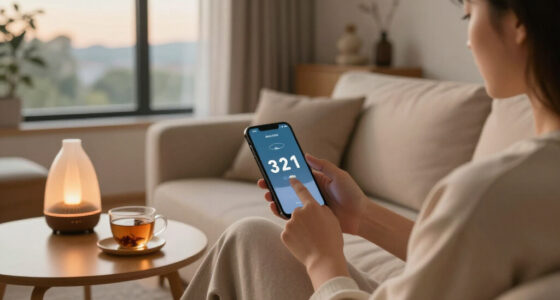
Using screens before bed can interfere with sleep, but simple compromises like setting a curfew, using blue light filters, and choosing relaxing activities make a real difference. These small changes help you wind down without giving up technology completely.
Ever find yourself scrolling through your phone just before sleep? You’re not alone. Many of us rely on screens—smartphones, tablets, TVs—long after the sun sets. But that habit can quietly sabotage your sleep quality, making it harder to drift off and stay rested.
Recent research highlights how even brief exposure to blue light, the kind emitted by screens, can disrupt your body’s natural sleep signals. The good news? You don’t have to ditch your devices completely. Small, practical compromises can help you enjoy your tech and still catch quality Z’s.
Turning off screens 30-60 minutes before bed boosts melatonin and helps you fall asleep faster.
Blue light filters and night mode features cut down blue light exposure, but are most effective when combined with other habits.
Replacing screen time with calming activities like reading or meditation enhances your ability to relax.
Keep devices out of the bedroom or turn them off well before sleep to create a restful environment.
Consistency in your evening routine signals to your body that it’s time to wind down, improving sleep over time.
Screens Before Bed: Practical Compromises That Work
You do not have to abandon technology after sunset. Reduce the light, lower the stimulation and give your brain a predictable runway into sleep.
Screen-free time before your planned bedtime.
Less blue-light output when a strong night setting is enabled.
Light controls work best when paired with relaxing content.
Even a shorter reduction can create a useful transition.
A realistic curfew that fits most evening routines.
More time for natural sleep signals and mental calm.
A repeatable routine trains the body more effectively.
Keep the tech. Change the ending.
The goal is not perfect abstinence. It is a clear boundary between the active, connected part of your evening and the quieter state your body needs for sleep.
Set a screen curfew
Turn devices off 30–60 minutes before bed. Start with 15 minutes if a full hour feels unrealistic, then build gradually.
Enable night mode
Schedule a warm display after sunset, reduce brightness and avoid holding a vivid screen close to your face.
Choose a quiet ritual
Read a physical book, stretch gently, journal or meditate. A replacement habit is easier to sustain than an empty restriction.
Move devices away
Charge phones outside the bedroom or at least beyond arm’s reach. Physical distance reduces automatic late-night checking.
Lower the emotional volume
If you must use a screen, avoid work email, competitive games, breaking news and endless social feeds. Choose passive, familiar and low-stakes content—or switch to calming audio with the display off.
It is more than blue light.
Screen use combines three pressures: light can interfere with melatonin signals, engaging content keeps the mind alert and habitual checking delays the moment you actually try to sleep.
The disruption stack
Illustrative relative influence: the exact response varies by brightness, duration, content and individual sensitivity.
Warm is better—not magic
Night settings shift the display toward warmer tones. That reduces one source of interference, but the brain can remain alert if the content is stimulating.
Combine warm colour, low brightness, Do Not Disturb, calmer content and a fixed stopping time.
Not all screen time is equal.
Compare common activities by light exposure, mental stimulation and how easily they encourage “just one more” behaviour.
| Activity | Low light load | Low stimulation | Supports wind-down | Best compromise |
|---|---|---|---|---|
| Physical book | ✓ | ✓ | ✓ | Use a warm, low lamp. |
| Calming audio | ✓ | ✓ | ✓ | Turn the display off. |
| Familiar TV programme | ~ | ~ | ~ | Dim the room and set an end time. |
| E-reader on warm mode | ~ | ✓ | ~ | Use minimum comfortable brightness. |
| Social media feed | ✗ | ✗ | ✗ | Set an app limit and hard stop. |
| Work email or news | ✗ | ✗ | ✗ | Move it outside the wind-down window. |
✓ favourable ~ depends on setup ✗ more likely to interfere
Build a one-hour landing strip.
For a 10:00 p.m. bedtime, begin around 9:00. The exact clock time matters less than repeating the same sequence most nights.
Set the device to warm
Lower brightness and enable night mode automatically.
Close stimulating loops
Finish messages, work, games and emotionally charged feeds.
Activate Do Not Disturb
Remove notifications that invite another round of checking.
Park the device
Charge it outside the bedroom or beyond easy reach.
Repeat a calming ritual
Read, stretch, breathe or listen with the display off.
Aim for a steady nightly rhythm.
Complete essential digital tasks.
Place the phone at its charging station.
Book, journal, breathing or stretches.
Bedroom reserved for rest.
Small boundaries create a clearer sleep signal.
Lower brightness and shift toward warmer light.
Silence alerts and close attention-grabbing apps.
Replace scrolling with a low-stimulation ritual.
Repeat the same wind-down sequence each night.
Let the sleep space mean rest, not digital activity.
The practical bottom line
Start with one boundary tonight: schedule night mode, choose a 30-minute curfew and place the phone away from the bed. A consistent compromise is more useful than an ambitious rule you abandon after two nights.
What makes screens so disruptive before bed?
Blue light is the main culprit. It tricks your brain into thinking it’s daytime, suppressing melatonin—the hormone that helps you feel sleepy. Imagine trying to wind down while your phone’s bright screen and stimulating content keep your mind active.
Think about a typical evening: you finish work, grab your phone, scroll social media, and suddenly it’s an hour later. That mental buzz can delay sleep onset by 30 minutes or more. Over time, this adds up to restless nights and groggy mornings.
Plus, the content you consume—news, emails, games—can spike your adrenaline, making your body stay alert when it should be relaxing. That’s why it’s not just the light but also the mental engagement that impacts sleep.
As an affiliate, we earn on qualifying purchases.
How recent tech helps you cut down screen time at night
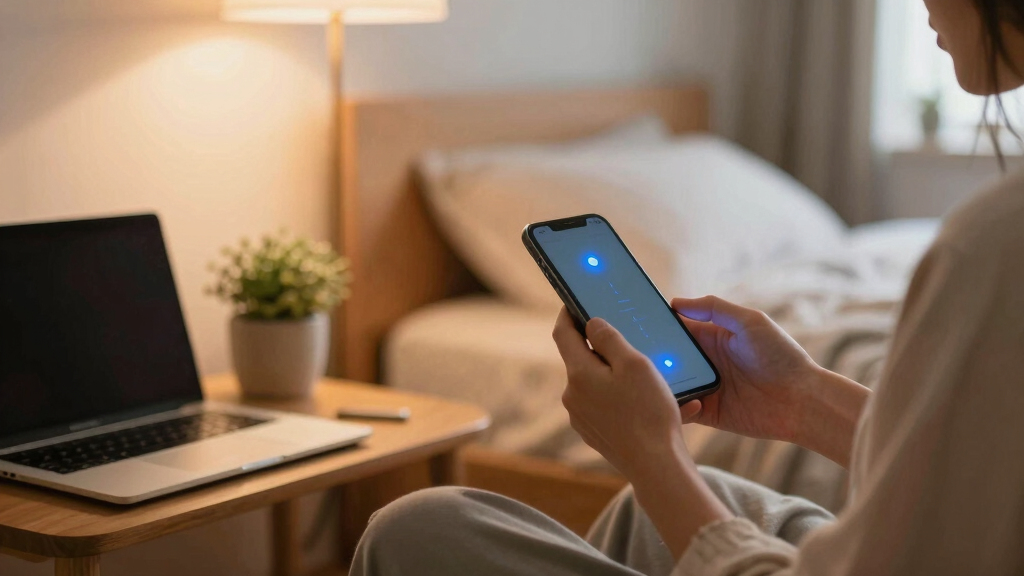
Device makers now offer tools like ‘night mode’ or blue light filters that turn your screen’s glow into a softer, amber hue. For example, enabling ‘Night Mode’ on your phone shifts the color spectrum, reducing blue light by up to 60%. That’s a noticeable difference—less glare, less melatonin suppression.
New research indicates that these filters can help your melatonin levels recover faster, especially when used consistently. However, it’s important to recognize that these tools are only part of the solution. They help reduce some of the physical impact of blue light, but they don’t address the mental stimulation caused by engaging content. Using them in conjunction with a set bedtime or relaxing routines enhances their effectiveness, because it’s the combination of reduced light and mental calm that truly supports better sleep.
Many people also use amber-tinted glasses after sunset, which block blue light physically. It’s a simple, affordable way to protect your sleep without giving up your evening scroll entirely.
night mode screen protector for tablets
As an affiliate, we earn on qualifying purchases.
As an affiliate, we earn on qualifying purchases.
Practical compromises that actually improve your sleep
Here are five simple yet effective strategies you can start tonight:
- Set a screen curfew: Turn off all devices at least 30 minutes before bed. This isn’t just about reducing blue light; it’s about giving your brain a chance to transition from active engagement to relaxation. Without constant stimulation, your mind can wind down more naturally, making it easier to fall asleep and stay asleep.
- Use blue light filters: Activate night mode or install apps that filter blue light after sunset. These tools help mitigate the suppressive effect on melatonin, but their success depends on consistent use and pairing with other habits. They act as a safeguard that reduces the physical impact of screens but don’t eliminate the mental stimulation from content, which can still interfere with relaxation.
- Replace screen time with relaxing routines: Pick up a physical book, do gentle stretches, or meditate in the evening. These activities signal to your body that it’s time to wind down, helping to reduce stress and mental arousal. Over time, such routines can improve sleep quality by creating a clear boundary between active daytime and restful night.
- Create a tech-free bedroom: Keep your phone and tablet out of your sleeping space to avoid temptation and reduce exposure. This not only minimizes blue light exposure but also helps your mind associate the bedroom with rest, not stimulation. It’s a simple yet powerful way to reinforce healthy sleep habits.
- Limit stimulating content: Avoid emotionally charged news or social media right before bed. Instead, listen to calming music or nature sounds. This reduces mental arousal and helps your nervous system relax, making it easier to fall asleep. Choosing calming activities over stimulating content can significantly improve your sleep onset and quality.
For example, one person switched to reading a paperback for 20 minutes instead of scrolling. Over a week, they reported falling asleep faster and waking up feeling more refreshed. This illustrates how small, intentional changes can have a meaningful impact on sleep quality.
As an affiliate, we earn on qualifying purchases.
What about screen time in the bedroom—good or bad?
Using screens in the bedroom can be a tricky balance. While it’s convenient, it often encourages prolonged exposure and late-night scrolling, which can disrupt your sleep cycle and condition your brain to associate the bedroom with activity rather than rest. The key is to set boundaries. For example, keep your devices outside the sleeping area or turn them off an hour before bed. This physical separation helps reduce temptation and limits blue light exposure during the critical wind-down period.
Research from sleep experts shows that having screens in the bedroom correlates with later bedtimes and poorer sleep quality. It’s not just about the light; the mental engagement and habitual use reinforce a cycle of delayed sleep and fragmented rest. Creating a sleep-friendly environment involves making your bedroom a sanctuary for relaxation—free of screens and stimulating content. If you must use devices in bed, try to limit usage to non-stimulating activities and always use blue light filters. Think of your bedroom as a sleep haven—tech should be an occasional guest, not a resident.
relaxing activity books for adults
As an affiliate, we earn on qualifying purchases.
As an affiliate, we earn on qualifying purchases.
How long before bed should you stop screens?
Most experts recommend turning off screens at least 30 to 60 minutes before you plan to sleep. This window allows your melatonin levels to start rising naturally and your nervous system to shift from active to relaxed. The reason this time frame matters is that the suppression of melatonin and mental stimulation from screens don’t just happen instantly; they have a cumulative effect that delays sleep onset. By establishing a consistent wind-down routine, you give your body the best chance to prepare for rest.
For example, if you aim to sleep at 10 pm, starting your routine around 9 pm helps your body transition smoothly. Using this time for calming activities—like gentle stretching, deep breathing, or reading—reinforces the message that it’s time to rest. The more regular you are with this schedule, the more your body adapts, leading to quicker sleep onset and higher sleep quality. Even reducing screen time by 15 minutes can make a difference, but aiming for a full hour maximizes the benefits.
Experiment with different times and activities to find what best supports your sleep quality, understanding that consistency is key to establishing lasting habits.
Frequently Asked Questions
How much blue light actually affects sleep?
Blue light suppresses melatonin production, which can delay sleep onset. Even small doses, especially if exposure happens regularly before bed, can make it harder to fall asleep and reduce sleep quality.
Are all screens equally harmful?
No. The impact depends on content, brightness, and duration. Interactive or stimulating content tends to be more disruptive than passive activities like listening to music or audiobooks.
Can using blue light filters completely prevent sleep issues?
While helpful, blue light filters aren’t a magic fix. Combining them with other habits—like setting a curfew and relaxing routines—yields better results.
What are some good alternatives to screen time before bed?
Physical books, journaling, meditation, gentle yoga, or listening to calming music are excellent ways to unwind without screens.
Is it okay to use screens in the bedroom?
It’s best to keep screens out of the bedroom or limit usage at least an hour before sleep. If used, follow compromises like blue light filters and setting a strict bedtime routine.
Conclusion
Managing screen time before bed doesn’t mean giving up your favorite shows or social media. It’s about making small, smart compromises that support your sleep without feeling restrictive. Think of it as tuning your tech habits to better match your natural rhythms.
Start tonight—set a device curfew, switch on blue light filters, and pick a calming activity instead. Better sleep isn’t about perfection; it’s about progress. Your mornings—and your mood—will thank you for it.
Halloween Picks
halloween
As an affiliate, we earn on qualifying purchases.