
TL;DR

Get wellness gear delivered free with Prime
- Fast, free delivery on millions of items
- Prime Video, Amazon Music and more included
- Member-only deals all year
Selecting the right brightness level on a dawn simulator ensures a gentle, natural wake-up. Modern devices offer customizable settings, smart features, and improved light spectrum options to suit individual needs.
Imagine waking up feeling refreshed, not jolted. That’s the promise of a well-chosen dawn simulator. But with so many settings and features, how do you pick the right brightness for your needs?
Understanding how to adjust and customize brightness levels can transform your mornings—making them calmer, more natural, and perfectly suited to your sleep habits. Let’s explore how to fine-tune your sunrise experience for the best possible start to your day.
Start with a brightness around 150-200 lumens for most bedrooms; adjust based on your room size and sensitivity.
Use longer sunrise durations (20-30 minutes) for a more natural, gentle wake-up experience.
Opt for cooler (5000-6500K) spectrum lights if you want to feel more alert upon waking.
Take advantage of smart, adaptive features—like ambient light sensors—to get a personalized wake-up every day.
Always test and fine-tune your brightness and spectrum to find what makes mornings easier for you.
What Is the Ideal Brightness Level for a Gentle Wake-Up?
The perfect brightness level for a dawn simulator is one that mimics natural sunrise without startling you awake. Most devices deliver between 100 and 300 lumens, with around 250 lumens often being just right for bedrooms.
Picture a sunrise that gradually brightens your room over 20 to 30 minutes—enough to gently coax your eyes open without harshness. If your room is large or heavily covered by curtains, you might want to lean toward the brighter end of that spectrum.
For example, someone in a small apartment might prefer 150 lumens to avoid overwhelming their senses, while a larger room with window coverings might need closer to 300 lumens for effectiveness.
Choosing the right brightness isn’t just about comfort; it influences how naturally your body transitions from sleep to wakefulness. Too dim, and your body might not get enough stimulus to wake up; too bright, and it could cause abrupt awakenings or disrupt sleep cycles if used improperly. The goal is to find a balance that signals your body to wake gradually, aligning with your circadian rhythm and reducing morning grogginess.
Deeply understanding this range and its effects is crucial because it directly impacts your sleep quality and morning alertness. Using too little light may leave you feeling sluggish, while excessive brightness can cause your body to interpret it as daytime, potentially disrupting your sleep cycle and leading to difficulties falling asleep later. Conversely, insufficient light may not provide enough stimulus to trigger natural wakefulness, especially if you’re a heavy sleeper or in a darker environment. Therefore, selecting the optimal brightness involves balancing these factors to support a smooth transition from sleep to alertness, tailored to your personal and environmental context.
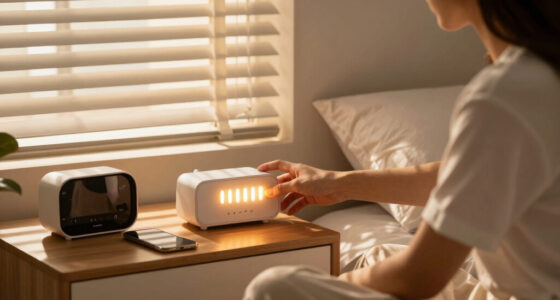
dawn simulator with adjustable brightness
As an affiliate, we earn on qualifying purchases.
As an affiliate, we earn on qualifying purchases.
How to Adjust Brightness Levels Step-by-Step
- Identify your room’s lighting conditions—bright or dim? Recognizing your environment helps set realistic expectations for brightness levels. This awareness is vital because a room’s natural light can influence how your body perceives the simulated sunrise, affecting its effectiveness. For instance, a naturally bright room might require a slightly lower artificial brightness to avoid overstimulation, whereas a darker room might benefit from a higher setting.
- Start with a low brightness setting, around 100 lumens, and observe how you wake up. Pay attention to whether the light feels soothing or startling. This initial step helps you gauge your sensitivity and avoid abrupt awakenings that can lead to stress or sleep disruption.
- Incrementally increase the brightness by 50 lumens if you need a more stimulating start. This gradual adjustment allows you to assess the impact on your wake-up process and comfort, giving insight into your personal thresholds and preferences. It’s important because small changes can significantly influence how smoothly you transition from sleep to wakefulness, impacting mood and alertness.
- Choose a duration for the light to increase—most devices offer 20-30 minutes for a natural feel. Longer durations tend to promote a gentler awakening, while shorter ones may be more abrupt. The timing is critical because it mimics the natural sunrise more accurately, helping to regulate your circadian rhythm and reducing morning grogginess.
- Experiment with the spectrum—cooler (blueish) tones for alertness, warmer for relaxation. The spectrum affects not only mood but also the body’s hormonal responses, like melatonin suppression or stimulation. Cooler tones boost alertness by mimicking morning sunlight, while warmer tones promote relaxation, which can be beneficial if you prefer a softer wake-up or are sensitive to blue light.
- Adjust until you find the setting that awakens you naturally without feeling jarring. Remember, consistency helps your body adapt to the new routine, enhancing the effectiveness over time. This process of fine-tuning is essential because the optimal setting varies widely among individuals, depending on personal sensitivity, sleep patterns, and environmental factors. Regular adjustments ensure the device remains aligned with your evolving needs, maximizing comfort and wakefulness.
For instance, if you find yourself still groggy at 150 lumens, bump it to 200, then 250, until you notice a more refreshed awakening. The key is patience; small, incremental changes help you discover what your body responds best to, avoiding the pitfalls of over- or under-stimulation that can affect sleep quality and morning alertness.
Deeply personalizing your brightness settings ensures a wake-up routine that feels natural and supportive of your overall sleep health. Remember, the goal is to create a gentle, effective start to your day that minimizes stress and promotes alertness, which can only be achieved through thoughtful, gradual adjustments tailored to your unique environment and sensitivity.
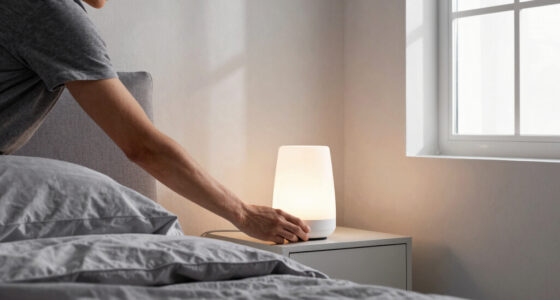
sunrise alarm clock with customizable light spectrum
As an affiliate, we earn on qualifying purchases.
As an affiliate, we earn on qualifying purchases.
Comparison Table: Brightness & Spectrum Choices for Wake-Up Feelings
| Brightness Level (Lumens) | Color Temperature (K) | Typical Use |
|---|---|---|
| 100-150 lumens | 3500-4500K | Gentle wake, relaxing mornings |
| 150-200 lumens | 5000-6500K | Balanced alertness, natural sunrise mimic |
| 200-300 lumens | 6500K+ | Stimulating wake, energetic mornings |
This comparison shows how brightness and spectrum influence your wake-up style. Cooler, higher Kelvin lights boost alertness, while warmer tones soothe you into waking gently.
Understanding these distinctions helps you choose a setting that aligns with your natural sleep-wake cycle. For instance, using cooler, higher Kelvin lights in the morning can enhance alertness by suppressing melatonin, the sleep hormone, making you feel more awake faster. Conversely, warmer tones may promote relaxation if you prefer a softer wake-up or need to avoid overstimulation, especially if you wake up early or have sleep sensitivities. The trade-off lies in balancing alertness with comfort, ensuring your morning light supports your overall sleep hygiene and daily energy levels.
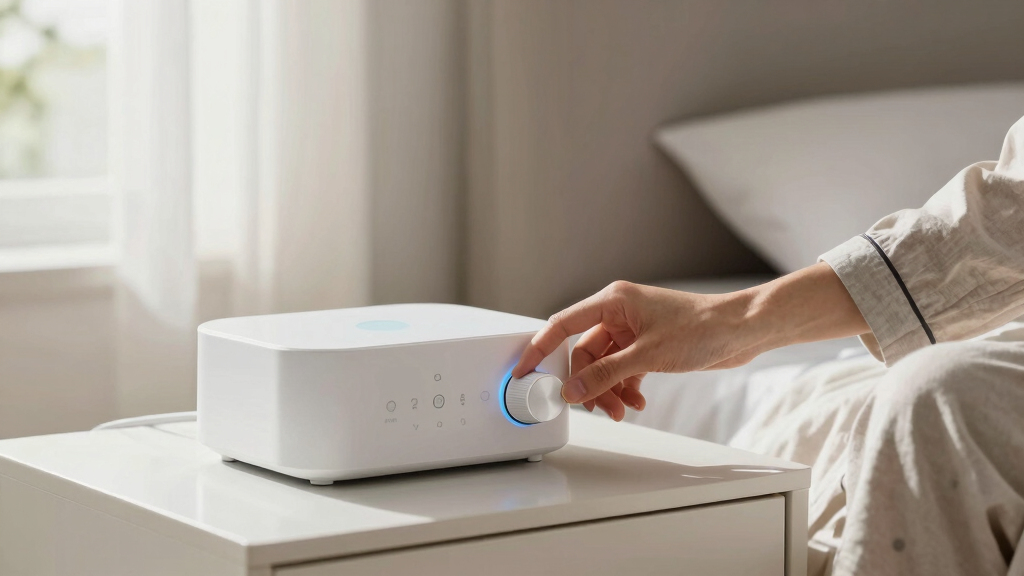
smart dawn light with ambient light sensor
As an affiliate, we earn on qualifying purchases.
As an affiliate, we earn on qualifying purchases.
Recent Tech Advances That Make Choosing Brightness Easier
Today’s dawn simulators come loaded with smart features. Many now connect to your phone or home system, letting you tweak brightness remotely or set personalized schedules.
Some models include sensors that automatically adjust brightness based on ambient light—so if your room gets brighter during the morning, your sunrise stays perfectly balanced. This not only enhances convenience but also ensures your wake-up light adapts to changing environmental conditions, preventing sudden brightness shifts that could disturb your sleep cycle.
Advances also include full-spectrum LEDs that better mimic natural sunlight, which can boost your mood and alertness right from the moment you wake up. These LEDs are designed to replicate the full range of sunlight, including wavelengths that influence hormonal responses, making the simulated sunrise more effective at regulating your circadian rhythm.
Imagine waking up to a light that gradually increases in intensity, matching the natural progression outside your window, with a gentle boost of blue-rich light that energizes without overwhelming. The integration of these innovative features means your device can now support a more personalized and physiologically aligned waking experience, contributing to better sleep quality and daytime alertness.
As an affiliate, we earn on qualifying purchases.
What to Consider When Choosing Your Brightness Level
Every sleep environment and person’s sensitivity is unique. Here’s what to keep in mind:
- Room size and window coverage: Larger rooms or heavy curtains may require brighter settings to ensure the light reaches you effectively, but overly bright settings can cause discomfort or disrupt sleep if used improperly.
- Personal sensitivity: If you’re light-sensitive or prone to migraines, starting with lower lumens and increasing gradually allows your body to adapt without stress.
- Sleep schedule: Early risers might prefer softer, dimmer lights that gently nudge them awake, while late sleepers may benefit from brighter, more stimulating light to help reset their internal clock.
- Device features: Can you customize spectrum, timing, and intensity easily? Devices with flexible controls give you the ability to tailor the experience, which is crucial for optimizing wakefulness and sleep quality.
For example, a shift worker waking up during daylight hours might opt for a brighter, cooler light to simulate natural daylight more convincingly, aiding in alertness and mood regulation. Conversely, someone sensitive to light might choose warmer, dimmer settings to avoid overstimulation, especially if they need to wake up early or have light-sensitive conditions. The tradeoff is between maximizing alertness and minimizing potential sleep disruption—finding the right balance is key to a healthy, effective wake-up routine.
When selecting your brightness level, consider the implications of your choice: too bright can cause early fatigue or overstimulation, while too dim may result in sluggish mornings or difficulty waking. The ideal setting supports your circadian rhythm, promotes alertness, and minimizes sleep disturbances, but finding this balance requires understanding your personal and environmental needs and making adjustments accordingly.
Frequently Asked Questions
How bright should my dawn simulator be for a gentle wake-up?
Most people find 150-200 lumens works well for a gentle start, but adjust according to your room size and sensitivity. Larger or darker rooms might need a bit more brightness to feel natural.
Can I change the brightness levels as I get used to my device?
Absolutely. Most modern dawn simulators let you customize brightness and duration. Feel free to experiment until you find your perfect setting.
What color temperature should I choose for a natural feel?
Look for lights around 5000K to 6500K. These cooler, blueish tones closely mimic natural daylight and help boost alertness upon waking.
Is there a risk of disrupting my sleep with too much light?
Yes, using overly bright or blue-rich light close to bedtime can interfere with sleep. Use your dawn simulator only during your wake-up window to avoid disruptions.
How do I know if my brightness is too harsh or too dim?
Test different settings on mornings when you don’t need to wake up early. If the light feels startling or causes discomfort, dial it down. If you’re still sleepy, try increasing it slightly.
Conclusion
The key to a perfect dawn simulation isn’t just about brightness—it’s about tailoring the experience to your space and sleep style. A little experimentation with intensity and spectrum transforms a simple alarm into a gentle, natural awakening.
Remember, your ideal sunrise is one that feels like nature’s own gentle nudge, not a spotlight. With the right settings, mornings become a moment of calm and readiness, not stress and jarring awakenings.
Columbus Day / Indigenous Peoples' Day Picks
long weekend sales
As an affiliate, we earn on qualifying purchases.