TL;DR

Get wellness gear delivered free with Prime
- Fast, free delivery on millions of items
- Prime Video, Amazon Music and more included
- Member-only deals all year
Sound machines are designed to produce soothing, consistent sounds to mask noise, while fans provide airflow to cool and ventilate. Both vary in cost, noise, and airflow, so choosing depends on your sleep priorities—masking sound or cooling the room.
Imagine trying to drift into sleep, but outside noises—cars, barking dogs, or household chatter—keep pulling you back. You might reach for a sound device or a fan, but which one actually helps you sleep better? The choice isn’t always obvious, especially when considering cost, noise, and airflow.
This guide breaks down what each option offers, what to watch out for, and how to match your needs. Whether you want a whisper-quiet sound machine or a cooling fan that doubles as a white noise generator, you’ll find practical tips to make your sleep setup smarter.
Sound machines are better at producing quiet, consistent sounds for masking noise, often operating below 50 dB.
Fans offer the dual benefit of airflow and noise masking, but their noise levels can range from very quiet to quite loud, affecting sleep quality.
Cost-effective options are available for both devices, but high-end models provide extra features like remote control, timers, or multiple sound options.
Energy consumption is generally low for sound machines, while larger fans use more power—important for long-term savings.
Using both a fan and a sound machine together can optimize comfort, as long as noise levels are balanced.
Sound Machines vs. Fans
One masks disruptive noise. The other moves air and happens to make noise. Compare cost, volume, airflow, and nightly energy use to build a sleep setup around what your room actually needs.
A sound machine is a controlled acoustic backdrop; a fan is a cooling tool whose motor and moving air create a secondary masking sound.
Choose the function before the feature list
The best device depends on the problem interrupting sleep. Start with unwanted sound, excess heat, or a combination of both—then compare models within the right category.
Sound machine
Produces steady white, pink, brown, or nature-based sound designed to soften sudden changes in the acoustic environment.
Best for traffic, voices & barkingFan
Moves air across the skin, supports circulation, and may ease a warm or humid room. Its masking noise is a useful byproduct.
Best for heat, humidity & stuffinessBoth together
Pair a quiet fan on low speed with controlled sound masking when the room needs cooling and acoustic consistency.
Best for mixed sleep disruptionsWhat each option delivers
Entry-level products can solve the basic problem, while premium models add timers, remote controls, app integration, quieter motors, or broader sound libraries.
| Decision factor | Sound machine | Fan | Practical implication |
|---|---|---|---|
| Primary purpose | ✓ Controlled sound masking | ✓ Cooling and circulation | Match the device to the sleep disruption. |
| Airflow | ✗ None | ✓ Low to strong | A fan is the clear choice for a warm room. |
| Noise consistency | ✓ Designed to remain steady | ~ Varies by speed and build | Rattles or speed changes can disturb light sleepers. |
| Typical volume | About 20–50 dB | About 40–60+ dB | Placement and settings materially affect exposure. |
| Purchase cost | $20–$100 | $15–$300 | Fans span more sizes and installation types. |
| Nightly energy use | ✓ Generally very low | ~ Size and speed dependent | Timers and low-speed modes can reduce consumption. |
| Portability | ✓ Usually compact | ~ Desk to ceiling scale | Travel use favors compact sound machines. |
Guide ranges only · Actual noise, wattage, durability, and price vary by model and operating setting.
Quiet sound versus moving air
Sound machines typically demand less power and offer tighter volume control. Fans exchange higher power use and potentially more noise for meaningful airflow.
Power draw comparison
Illustrative device range, indexed to 100 watts
For all-night use, compare the model’s wattage—not just its purchase price.
Sleep-sound spectrum
Representative levels; measured output varies with distance and setting
soft end 40 dB
quiet fan 60 dB
louder fan
Sensitive sleepers often benefit from steady output without rattles, pulsing, or abrupt volume changes.
Build the sleep setup in four moves
Treat comfort as a chain: identify the disruption, choose the primary tool, tune its output, and verify that it stays comfortable through the night.
Name the problem
Noise, heat, stale air—or several at once?
Choose the tool
Mask sound, move air, or combine both functions.
Set it gently
Begin with low volume and low fan speed.
Test placement
Adjust distance, direction, timer, and sound profile.
Let your priority decide
There is no universal winner. Sound machines lead on controlled masking and efficiency; fans lead on cooling and ventilation.
Choose a sound machine if…
- Traffic, voices, pets, or sudden household sounds wake you.
- You want consistent output without a breeze.
- Low wattage and travel-friendly size matter.
- Your room is already cool and well ventilated.
Choose a fan if…
- Heat, humidity, or still air is the main discomfort.
- You enjoy natural mechanical noise while sleeping.
- You need circulation across a larger space.
- You can select a stable, quiet low-speed setting.
Use both when the room needs both
Place the fan for comfortable airflow rather than maximum motor noise. Position the sound machine closer to the disruptive-noise side of the room and keep both outputs moderate.
+
steady sound · moderate volume
Smart control
Apps, schedules, voice commands, and remote adjustments from bed.
Quieter motors
Noise-dampening designs target smoother operation at low speeds.
Efficient design
Lower-power motors and timers help reduce long-term energy use.
Hybrid devices
Some products combine airflow with selectable masking sounds.
Mask noise or cool the room?
Sound machine: the focused choice for controlled, consistent masking. Fan: the practical choice for airflow with incidental noise. Both: the strongest option when sound and temperature are equally disruptive.
What’s the real difference between sound machines and fans?
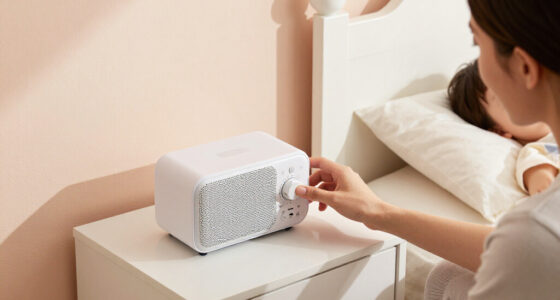
At their core, sound machines produce calming sounds—like white noise, nature sounds, or gentle rain—to drown out disruptive noises. They’re designed to be quiet, consistent, and soothing.
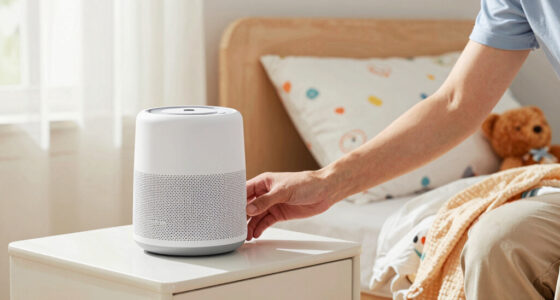
Fans, on the other hand, generate airflow that keeps you cool and improves air circulation. Their noise is a byproduct, but some models are quiet enough to double as a sleep aid.
Think of a sound machine as a gentle, constant lullaby, while a fan is like a refreshing breeze that also happens to mask noise.
white noise sound machine for sleep
As an affiliate, we earn on qualifying purchases.
As an affiliate, we earn on qualifying purchases.
How do cost and durability compare?
Sound machines usually cost between $20 and $100. Basic models with a handful of sounds are budget-friendly, while premium versions with multiple sound options and features like timers or Bluetooth can push higher.
Fans have a wider price range—from small desk fans around $15 to large tower or ceiling fans costing $50 to $300. High-end fans often include smart controls, better airflow, and quieter operation.
Understanding the cost and durability helps you weigh long-term investment. Cheaper models may lack longevity or advanced features, but higher-end fans and sound machines often come with warranties and better build quality, making them more reliable over time. The choice depends on your budget and how much you value features like quiet operation or smart controls.
As an affiliate, we earn on qualifying purchases.
Which is quieter—sound machines or fans?
Sound machines are designed to be whisper-quiet, typically operating around 20-50 dB. This range is deliberately chosen to be unobtrusive, allowing you to sleep undisturbed. For sensitive sleepers, this consistency ensures a peaceful environment without unexpected noise spikes.
Fans can vary widely: some ultra-quiet models run at around 40 dB, akin to a library, making them suitable for many users. However, cheaper or older fans can produce noise over 60 dB, which might resemble a vacuum cleaner or loud background noise, potentially disturbing sensitive sleepers or light nappers. The tradeoff here is between airflow and noise — higher airflow fans tend to be louder, so choosing a quiet fan involves balancing your need for fresh air with acceptable noise levels.
If you are particularly sensitive to noise, opting for a high-quality sound machine can provide a consistent, gentle background sound that doesn’t risk waking you up.
As an affiliate, we earn on qualifying purchases.
How does airflow from fans compare to the lack of airflow from sound machines?
Fans actively move air, creating a breeze that cools your skin and helps regulate the temperature of your sleeping environment. This airflow can also help reduce humidity, which is crucial in warm or humid climates, preventing discomfort that can interfere with sleep cycles. The presence of moving air can make a significant difference in how quickly you fall asleep and how restful your sleep remains through the night.
Sound machines, in contrast, do not influence airflow or room temperature. Their value lies solely in sound masking—covering up disruptive noises rather than addressing environmental factors that contribute to sleep quality. If your room tends to be warm or stuffy, a fan’s ability to improve air circulation can be a game-changer, making the environment more comfortable and conducive to restful sleep. Conversely, in cooler climates or well-ventilated rooms, a sound machine might suffice if noise masking is your primary concern.
Understanding this distinction helps you prioritize your needs: if cooling is essential, a fan is the better choice; if you primarily need to block out sounds, a sound machine may be enough.
As an affiliate, we earn on qualifying purchases.
Which one costs more to run—sound machines or fans?
Generally, sound machines consume less energy. They typically use about 2-6 watts, costing only a few cents per hour to operate, making them very economical for nightly use. This low power consumption means you can run them all night without worrying about high electricity bills, especially if you use a timer or sleep mode.
Fans, on the other hand, vary depending on size and speed. Small desk fans might use around 20 watts, while larger tower or ceiling fans can consume 50-100 watts or more. Running a fan all night can add up, costing a few dollars per month depending on usage and local electricity rates. The key tradeoff is between energy consumption and airflow: if you need significant cooling or air circulation, the higher energy cost of a fan might be justified.
Understanding these differences helps you make an informed decision based on your budget and environmental priorities, especially if you plan to use the device nightly over the long term.
Can you combine a fan and a sound machine effectively?
Absolutely. Many people find that combining a fan with a sound machine creates an optimal sleep environment by providing both cooling and sound masking. For instance, a quiet fan paired with a portable sound machine can help you achieve a balance—cool air without disruptive noise, and soothing sounds that promote relaxation.
However, it’s important to consider the noise level of your fan. If the fan is too loud, it might drown out or interfere with the sound machine’s calming noises, reducing their effectiveness. Selecting a fan that operates quietly at low speeds ensures that both devices complement each other rather than compete for attention.
Experimenting with placement—such as positioning the fan and sound machine on opposite sides of your bed—can help optimize comfort. This way, the airflow and sound masking work together without overwhelming your senses, leading to a more restful sleep environment.
What recent tech trends are shaping these devices?
Smart integration is a big trend. Both sound machines and fans now connect to apps or voice assistants, allowing remote control and customization. Imagine turning your device on from bed or adjusting volume with a quick voice command. This convenience can help you create a seamless sleep environment, especially if you prefer not to get out of bed to adjust settings.
Manufacturers are also focusing on noise reduction. Some fans now feature noise-dampening designs, making them almost silent at low speeds, which is crucial for undisturbed sleep. Eco-friendly models with energy-efficient motors are gaining popularity, helping you save power while maintaining comfort. These innovations mean you can enjoy effective cooling and sound masking with less environmental impact.
Hybrid devices are emerging that combine airflow with sound masking—like a fan with built-in white noise options—saving space and simplifying your nightstand setup. This convergence of features offers a streamlined solution that enhances convenience and sleep quality.
Frequently Asked Questions
Which is better for sleep—sound machines or fans?
It depends on your needs. Sound machines excel at masking disruptive noises with gentle, consistent sounds, ideal for light sleepers. Fans provide airflow and cooling, which can be just as effective if noise isn’t a concern.Are sound machines noisy?
Most are designed to be very quiet, producing soothing sounds around 20-50 dB. That’s quieter than a whisper or rustling leaves, making them perfect for sleep or relaxation.Can a fan help me sleep better?
Yes, especially if you sleep hot or live in a warm climate. A fan cools the room and can mask background noises. Just choose a quiet model to avoid disrupting your rest.Are sound machines expensive?
They range from affordable models around $20 to more advanced options costing $100 or more. Higher prices often include additional sounds, Bluetooth connectivity, or timers.Do fans consume a lot of electricity?
Larger or high-speed fans can use 50-100 watts, costing a few dollars per month if used nightly. Energy-efficient models help keep bills down while providing cooling and airflow.Conclusion
Choosing between a sound machine and a fan boils down to what matters most for your sleep. If masking noise is your priority, a quiet sound machine is your best bet. But if cooling and air circulation matter, a fan can do double duty—just pick one that runs quietly enough to not disturb your rest.
Think of your sleep setup like a cozy cocoon: soft sounds and cool air working in harmony. Your perfect sleep environment is within reach—just pick the right tools and tune them to your needs.
Fall Picks
fall essentials
As an affiliate, we earn on qualifying purchases.