
TL;DR

Get wellness gear delivered free with Prime
- Fast, free delivery on millions of items
- Prime Video, Amazon Music and more included
- Member-only deals all year
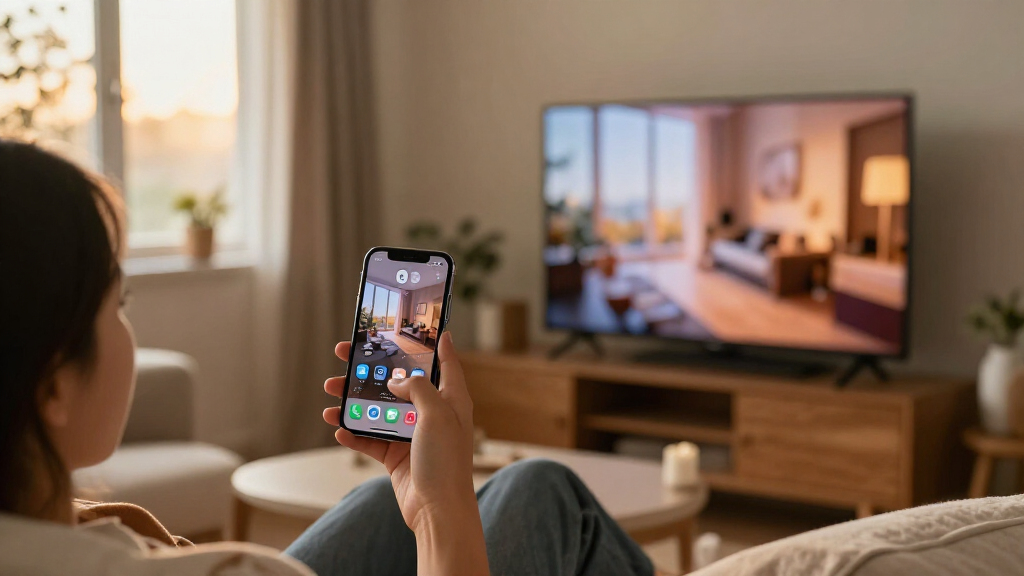
MeowDisplay is a free, open-source app that turns an iPhone or iPad into a receiving display for a Mac, offering screen mirroring or an extended desktop controlled by touch. Its developer lists version 2.0 as available for iOS and macOS 14 or later; Android is in closed testing. A floating-window feature is planned for version 2.1 but is not yet available.
MeowDisplay is offering a free, open-source app that lets a Mac use an iPhone or iPad as a display, either by mirroring the Mac screen or extending the desktop. The developer lists version 2.0 for iOS and macOS 14 or later, with Android still in closed testing, giving Mac users another way to add a portable display and control Mac windows with touch.
The app’s developer describes MeowDisplay as a way to turn an iPhone, iPad, Android device or another Mac into a display for a Mac. Users can choose Mirror, which shows the selected Mac display on the receiving device, or Extend, which creates a separate display in macOS. Each receiving device can have its own mode, and virtual displays can be arranged in the Mac’s display settings.
MeowDisplay’s site lists iOS 2.0 on the App Store and a stable Mac 2.0.0 companion for macOS 14 and later. It says the software is free and open source on Mac, iPhone and iPad. Android 10 and later is listed as being in closed testing, not as a generally available release. The site also describes USB and nearby Wi-Fi connections, as well as remote access, though it does not provide further technical details in the supplied material.
On iPhone and iPad, the app presents individual Mac windows in tabs or panes, which users can rearrange, swap or resize by touch. The developer also lists touch gestures for clicking, scrolling, dragging and right-clicking, alongside a feature called Stage Peek for switching among Mac windows from the edge of the mobile screen. Remote Finder offers a touch-friendly way to browse Mac files, subject to permission being granted on the Mac. A separate Picture in Picture mode shows the Mac screen in a floating, view-only window while another iPhone or iPad app is open.
A Phone as a Portable Mac Display
The practical pitch is more screen space without a conventional monitor. An iPhone or iPad can show a Mac window, a reference document or another application while the Mac remains the main computer. For someone working away from a desk, that could make a mobile device useful as a compact second screen, though its small size may limit how much work fits comfortably.
The app also differs from common screen-mirroring setups by letting the receiving device act as an extended display, rather than only duplicating the Mac’s image. Touch input and window arrangement are intended to make the mobile device more than a passive screen. The developer says the software can create a virtual display for closed-lid MacBook use, but states that the MacBook must be connected to power. The available description does not independently verify performance, latency or compatibility across specific hardware.
Because the project is presented as free and open source, users can evaluate it without a listed purchase price and inspect its code. That does not, on its own, establish how its connection is secured or what limits apply to remote access. Those details matter for people considering using the app with work files or outside their home network.
Products Worth Considering

WORX WG176 20V Cordless Brushless String Trimmer, 13–15-Inch

BOSCH GTS15-10 10-Inch Portable Jobsite Table Saw with Gravity-Rise Wheeled Stand

WORX BladeRunner Portable Tabletop Saw, 5.5 Amp, WX572L
As an affiliate, we earn on qualifying purchases.
How MeowDisplay Reverses Mirroring
In a familiar phone-mirroring arrangement, a mobile device sends its screen to a larger display or computer. MeowDisplay describes the opposite direction: the Mac supplies the display and windows, while an iPhone, iPad or supported receiving device shows them. The product name and its “iPhone mirroring, but in reverse” framing refer to that direction of use, not to a feature that simply controls an iPhone from a Mac.
The developer’s feature list points to several distinct uses. Mirror duplicates a chosen Mac display; Extend adds another one in macOS. Window view lets users choose and arrange individual Mac windows on a phone or tablet, while Stage Peek provides a way to switch windows. The site says the two devices can connect over USB or nearby Wi-Fi, and presents remote access as another option. It does not specify the connection requirements or supported network conditions in the material provided.
The current release and planned feature should not be confused. The site identifies version 2.0 as the current release, while describing floating windows as a preview for version 2.1. In that planned feature, a Mac window could float above the mobile device’s pane layout, be moved and resized, or be tucked toward an edge. The developer explicitly says the feature is not in MeowDisplay 2.0 and that there is no 2.1 download yet.
“Turn an iPhone, iPad, Android device or another Mac into a display for your Mac.”
— MeowDisplay’s product site
Release Limits and Connection Details
The available information does not establish how much delay users should expect, what image quality or frame rate the app supports, or which Mac and mobile-device models have been tested. It also does not explain how remote access is implemented, what encryption or other security protections it uses, or whether access works across particular network setups. Users handling sensitive files may want those details before relying on remote sessions.
Android availability is limited: the developer calls it closed testing, so a general release date and supported feature set are not stated. The supplied material also does not give a firm schedule for version 2.1. Its floating-window demo is a preview only, and the developer says the feature is absent from version 2.0.
Although the developer describes the software as free and open source, the supplied information does not specify the exact open-source licenses for each component or outline the project’s support arrangements. It is also not clear whether every listed feature works identically across iPhone, iPad, Android and receiving Macs; the site says features can differ by platform.
Android Testing and Version 2.1
The next developments identified by the developer are continued Android testing and work toward the planned 2.1 floating-window feature. No Android public-release date or 2.1 launch date is provided. The announced window behavior should be treated as a roadmap item until the developer publishes a release and confirms availability.
For now, users can check the developer’s download and platform-status pages for the current iOS and Mac releases and the status of Android testing. People evaluating the app can also verify their device’s compatibility, connection options and permission settings before using it, particularly for remote sessions or access to Mac files.
Key Questions
What does MeowDisplay do?
It lets a Mac send its screen or individual windows to an iPhone, iPad or another listed receiving device. The receiving device can mirror a Mac display or act as a separate extended display, with touch controls available on mobile devices.
Is MeowDisplay available now?
The developer lists iOS version 2.0 and a stable Mac companion version 2.0.0 for macOS 14 and later. Android 10 and later is in closed testing, according to the product site.
Does it only mirror the Mac screen?
No. The developer describes both mirroring and extending. Mirror duplicates a selected Mac display; Extend creates a separate display that can be arranged in macOS display settings.
Are floating windows available?
No. Floating windows are previewed as a planned version 2.1 feature. MeowDisplay’s site says the feature is not included in version 2.0 and that no 2.1 download is available yet.
Can it be used with a closed-lid MacBook?
The developer says its software-created extended display can support closed-lid use with an iPhone or iPad as the screen, provided the MacBook is connected to power. The supplied information does not detail hardware-specific requirements.
Source: meowdisplay.app