TL;DR

Get wellness gear delivered free with Prime
- Fast, free delivery on millions of items
- Prime Video, Amazon Music and more included
- Member-only deals all year
Many sound machine issues like clicking, hissing, or loops are caused by design flaws or minor faults. You can often fix these with simple steps like cleaning, switching outlets, or adjusting settings. Knowing what to look for saves you time and money.
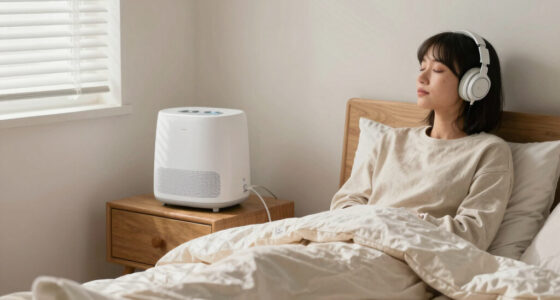
Picture yourself settling into bed, expecting the soothing hum of a white noise machine. Instead, a sudden click or a loud hiss shatters the calm, making sleep feel miles away. These tiny sounds are more common than you think—and often, they’re fixable.
Understanding why your sound machine clicks, hisses, or loops poorly can save you money and frustration. Whether it’s a cheap digital device or a fan-based model, this guide will walk you through practical steps to troubleshoot and fix common issues—so you can get back to peaceful sleep, fast.
Many clicking sounds are caused by short audio loops, not hardware failures—switch to longer or dynamically generated sounds for a seamless experience.
Regular cleaning of fan blades and motor parts can eliminate rattles and ticks in fan-based models.
Electrical interference from cheap adapters or outlets often causes hiss—try different power sources and noise types like pink noise.
Firmware updates and resetting devices can fix bugs causing audio artifacts—check your manufacturer’s support site first.
When in doubt, consider warranty options—most brands replace faulty units within the first year, avoiding costly repairs.
Fixing a Sound Machine That Clicks, Hisses, or Loops Badly
You settle into bed expecting a soothing hum — instead a sudden click or a loud hiss shatters the calm. Most of these faults are design quirks or minor issues you can fix in minutes with cleaning, a power swap, or a settings change. Knowing what to look for saves time, money, and your sleep.
30–90s
Typical loop length
Most digital machines replay short sound files every 30–90 seconds — your brain quickly detects the seam.
#1
Top complaint category
Audio artifacts — clicking, hiss, audible loops — are the leading complaint in reviews and support forums.
1 yr
Standard warranty cover
Most major brands replace faulty units within the first year — a valid claim before you attempt any repair.
2
Machine types
digital vs fan-based
6
Safe troubleshooting
steps, no tools needed
<60s
Clip length on many
budget models
0
Loops on fan machines —
they never repeat
Step One · Identify the Sound
Three Sounds, Three Root Causes
The fix depends entirely on which artifact you hear — and whether your machine is digital (LectroFan, Hatch, Dreamegg, Magicteam — plays samples through a speaker) or fan-based (Yogasleep Dohm, SNOOZ — a real fan in an acoustic chamber). Diagnose before you disassemble.
The Loop Seam
A rhythmic click every 30 seconds to a few minutes on a digital machine is almost always the audio loop restarting without a crossfade — a design tradeoff, not a defect.
- Digital: short clip restarts — like a scratched CD skipping
- Fan-based: dust, hair, or a warped blade brushing the housing
- At power-on only: relay/capacitor behavior or a failing adapter
Electrical Noise
White noise inherently contains high-frequency energy, but added hiss usually comes from cheap components or interference on the power line.
- Noisy USB adapters or underpowered ports — swap first
- Ground-loop / mains interference from certain outlets or dimmers
- Low-bitrate samples and cheap DACs distorting at high volume
Pattern Detection
The brain is a pattern-detection machine: once you notice the repeating seagull or thunder clap in a 30–90s loop, it becomes unlistenable.
- #1 complaint about nature sounds on budget machines
- Fix: dynamically generated, non-looping sound (e.g. LectroFan)
- Fan-based machines never loop — a genuine selling point
The Safe Troubleshooting Ladder
Fix a Clicking Machine in 6 Steps
Work from cheapest and safest to most involved. One user fixed rhythmic clicking on a budget machine by simply changing the outlet and updating its firmware — rule out software and power before blaming hardware.
Power Swap
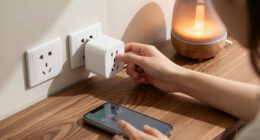
Unplug. Try a new cable, new adapter, different outlet — fixes a surprising share of hiss/click cases.
Clean It
Compressed air on the speaker grille, vents, fan blades and motor area removes dust that vibrates and interferes.
Reset & Update
Factory reset plus firmware/app update — manufacturers ship fixes for known audio glitches this way.
Change Sound
Some tracks and high volumes accentuate loop seams. Try softer settings or a different sound type.
Reposition
Hard surfaces amplify vibration clicks. Use a soft mat and keep the unit away from walls.
Warranty
New unit still faulty? Most brands cover hardware for a year — request a replacement.
Symptom Checker
Match the Noise to the Fix
Electronic or mechanical? Recognizing which side of the line your noise falls on determines the most effective fix — and prevents unnecessary replacements.
| What You Hear | Machine Type | Most Likely Cause | First Fix to Try | Fixable? |
|---|---|---|---|---|
| Rhythmic click every 30–90s | Digital | Audio loop seam restarting without crossfade | Switch to longer or dynamically generated sound | ~ design flaw |
| Rattle / tick while running | Fan-based | Dust or hair on blades; loose screws; warped blade | Compressed-air clean + tighten mounting points | ✓ yes |
| Constant hiss / static | Digital | Noisy USB adapter, outlet interference, cheap DAC | Swap adapter & outlet; switch to pink/brown noise | ✓ usually |
| Repeating seagull / thunder pattern | Digital | Short nature-sound loop the brain learns to predict | Use pure noise or app-based streamed content | ~ workaround |
| Click with nothing playing | Either | Relay/capacitor behavior or failing power adapter | Replace adapter; if new unit, claim warranty | ✓ yes |
| Worn motor drone / grinding | Fan-based | Worn motor bearings after years of use | Clean first; if it persists, replace the unit | ✗ replace |
The Hiss Equation
High-Frequency Energy by Noise Color
Perceived hiss intensity (relative)
Where the Extra Hiss Comes From
Some hiss is inherent to white noise — the problem is added hiss from poor-quality DACs and amplifiers, small speakers distorting at higher volumes, and low-bitrate sample files common in budget multi-sound machines.
Electrical interference is the most easily fixed cause: noisy USB adapters, underpowered ports, and ground-loop issues on certain outlets, power strips, or dimmer circuits.
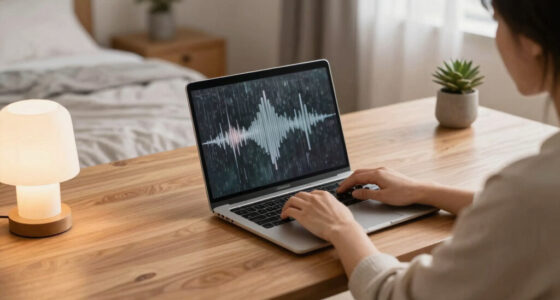
Sample waveform — red bars mark the audible seam where the loop restarts
Key Insight
The Click You Hear Is a Design Tradeoff
Budget models use very short clips — sometimes under 60 seconds — to conserve memory. When the clip restarts without a proper crossfade, your brain detects the seam, especially on familiar sounds like thunder or ocean waves. It’s not a hardware defect; it’s the price of cheap memory.
Can’t fix the seam?
Choose machines with dynamically generated, non-looping sound — LectroFan is the well-known example.
Zero-loop guarantee
Fan-based machines generate sound mechanically — they physically cannot loop. A real selling point.
From Noise to Peace
The Fix Flow at a Glance
Hear the noise
Click, hiss, rattle, or a repeating pattern in the loop
Identify the type
Digital (samples + speaker) or fan-based (real spinning fan)
Climb the ladder
Power → clean → reset → sound → placement → warranty
Sleep restored
Seamless sound, no distractions — back to deep rest
Why does my sound machine click every few seconds? It’s usually the loop restarting.
If your digital sound machine emits a rhythmic click every 30 seconds to a few minutes, it’s almost certainly an audio loop seam. This occurs when the device plays a short sound file repeatedly without a proper crossfade, resulting in an audible, distracting seam that breaks the seamless experience. Think of it like a scratched CD skipping repeatedly—disrupting your sleep cycle and making it harder to relax.
For example, budget models often use very short sound clips—sometimes under 60 seconds—to conserve memory. When these clips restart, your brain detects the repetition, especially if the sound is a common sleep aid like thunder or ocean waves. This isn’t a hardware defect but a deliberate design tradeoff intended to keep costs low. The implication is that while these sounds are convenient, they can inadvertently cause frustration or sleep disturbance due to their predictability and the brain’s sensitivity to pattern detection.
On fan-based models, clicking can originate from dust or hair caught in the blades, causing minor imbalances or mechanical contact. Worn motor bearings or loose components can also produce ticking or clicking sounds. Recognizing whether the noise is electronic or mechanical helps determine the most effective fix and prevents unnecessary repairs or replacements.
Products Worth Considering

Makita TM3010CX1 Oscillating Multi-Tool Kit

EGO Power+ 9-Gallon Cordless Wet/Dry Shop Vacuum (WDV0904) with 56V 5.0Ah Battery and Charger

EGO Power+ Cordless Electric Leaf Blower, 880 CFM, with Two 4.0Ah Batteries (LB8803-2)
As an affiliate, we earn on qualifying purchases.
How to fix a clicking sound from your digital machine in 6 easy steps
- Power off and unplug the device. Swap the power cable and try a different outlet. A faulty or noisy power supply can cause electronic clicks, and ruling out power issues ensures you’re addressing the right source of noise.
- Clean the speaker grille, vents, and any accessible internals with compressed air. Dust buildup can cause mechanical vibrations or electronic interference, which may produce audible clicks or static. Regular cleaning prevents dust from acting as a conductor or imbalance, thereby maintaining sound quality.
- Reset factory settings or update the firmware/app. Manufacturers often release updates that fix known bugs, including audio glitches or loop seam issues. Keeping your device updated can improve performance and reduce unwanted sounds.
- Change the sound or volume. Some sounds or higher volume levels can accentuate loop seams, making them more noticeable. Experimenting with softer settings or different tracks can help you find the most seamless listening experience, reducing auditory distractions.
- Place the machine on a soft surface or away from walls. Vibrations transmitted through surfaces can cause tiny knocks or rattles, which may be mistaken for electronic clicking. Using soft pads or repositioning the device can dampen these vibrations and restore quiet.
- If the issue persists, check the warranty or contact support. If the device is new, most brands cover hardware faults within a year. A replacement or professional repair might be necessary if troubleshooting doesn’t resolve the issue, especially if the device is under warranty.
For example, one user fixed rhythmic clicking on a budget digital machine by simply changing the outlet and updating its firmware online. Sometimes, a reset clears electronic glitches that cause irregular sounds, emphasizing the importance of ruling out software or power issues before considering hardware repairs.
Why does my fan-based machine rattle, tick, or click? It’s usually dust or loose parts.
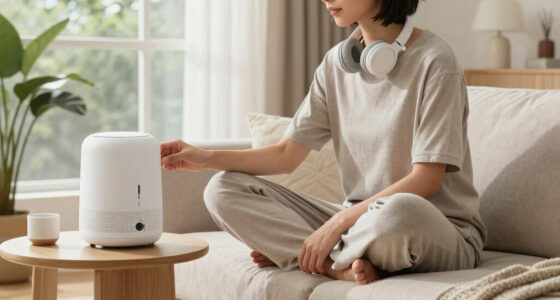
Fan-based sound machines, like the Yogasleep Dohm or SNOOZ, generate noise with a real spinning fan inside an acoustic chamber. Over time, dust and hair settle on the blades, causing minor imbalances that produce ticking, rattling, or clicking sounds. Warped blades or loose mounting screws can also create irregular noises. Recognizing these mechanical causes is crucial because they directly impact the device’s ability to produce a consistent, soothing sound. If these issues are left unaddressed, they can lead to increased wear or even motor damage, ultimately shortening the lifespan of your machine. Regular cleaning and inspection not only restore quiet operation but also prevent more costly repairs or replacements in the future.
Imagine a ceiling fan squeaking after years of use—similar to what you might hear in a fan-based sleep machine. Dust acts as a small imbalance, causing vibrations that translate into noise. Loose screws or warped blades can produce clicking sounds because parts are no longer aligned or securely fastened. These mechanical issues matter because they directly influence the quality of your sleep environment. If ignored, they can cause annoyance, disrupt sleep cycles, or lead to more severe mechanical failures. Proper maintenance, including cleaning and tightening, ensures your device remains a reliable source of calming sound and helps you avoid more extensive repairs or replacement.
How to quiet a fan machine: quick cleaning and maintenance tips
- Unplug the device. Remove the outer cover if accessible—most are glued or snap-fit, so gentle prying with a plastic tool helps prevent damage.
- Use compressed air to blow out dust and debris from the fan blades and motor area. Be thorough but gentle—dust causes imbalance and noise, and removing it restores smooth operation.
- Inspect the blades for warping or damage. If warped, gentle reshaping or replacing the blade is ideal. For minor dust accumulation, a soft cloth can wipe the blades clean, reducing vibrations that cause noise.
- Check screws and mounting points for looseness. Tighten or reseat parts carefully to eliminate rattles or clicks caused by loose components.
- Reassemble and test. If noise persists, consider a professional repair or replacing the machine, especially if the motor sounds worn or the noise is persistent despite cleaning.
For example, a friend’s SNOOZ fan developed ticking sounds after two years. A quick cleaning with compressed air stopped the noise and restored calm, illustrating how regular maintenance can prolong device life and ensure silent operation.
Why does my sound machine hiss or produce static? It’s usually electrical or sample quality issues.
Hissing or static in your sound machine often results from electronic issues such as poor-quality components, electrical interference, or low-grade sound files. These artifacts matter because they directly impact the calming effect of your sleep environment. If the hiss increases at higher volumes or varies with power sources, it indicates that electrical interference is affecting the sound quality. For example, using a cheap USB power adapter or plugging into a dimmer circuit can introduce electromagnetic noise, creating a fuzzy or crackling sound. Low-bitrate or poorly mastered sound files, common in budget models, can also produce high-frequency hiss, making the sound less soothing. Recognizing these causes helps you decide whether to upgrade your power supply, switch to higher-quality sound sources, or consider a different device altogether. These measures can significantly improve your sleep quality by eliminating distracting noise artifacts and ensuring a clean, stable sound environment.
Understanding that electrical noise and poor sample quality are the main culprits emphasizes the importance of investing in good power supplies and sound files. It also highlights that sometimes, the solution involves simple changes—like switching outlets or upgrading cables—that can have a big impact on your sleep comfort.
How to reduce hissing and static in your sound machine
- Try plugging the device into a different, grounded outlet. Avoid outlets on dimmer switches or near large appliances, as these can introduce electrical noise that causes static and hiss.
- Use a different power cable or USB charger—higher-quality, shielded cables can effectively block electromagnetic interference, leading to clearer sound.
- Lower the volume or switch to pink or brown noise, which tend to be less hissy than pure white noise. These sound profiles contain more low-frequency energy, masking high-frequency hiss and static.
- Keep the device away from other electronics that emit electromagnetic interference, like routers or tablets, to prevent cross-device noise contamination.
- Clean the speaker grille and vents to remove dust that might cause distortion or interference, ensuring a cleaner sound output.
For instance, switching a sound machine from a power strip to a dedicated outlet often reduces static and hiss, because it minimizes electrical interference. Upgrading to a better USB cable can also make a noticeable difference, highlighting how simple hardware improvements can significantly enhance sound clarity and sleep quality.
Understanding these underlying causes underscores why seemingly minor adjustments—like changing outlets or cables—can have a profound impact on reducing unwanted noise, ultimately creating a more peaceful sleep environment.
How to stop an annoying, audible loop from taking over your sleep
Most budget sound machines use very short sound samples that repeat every 30–90 seconds, creating a noticeable loop. The human brain is highly adept at detecting these patterns, which can make the sound feel unrelaxing or even irritating over time. This perceptual sensitivity stems from our brain’s natural tendency to seek patterns for survival; when it detects a repetitive loop, it may interpret it as a sign of malfunction or threat, disrupting your ability to relax and fall asleep. To combat this, opt for machines that generate sounds dynamically or stream content—like premium models with longer, non-looping sound files or app-based options. These generate a continuous, seamless soundscape that mimics natural environments more accurately, reducing the likelihood of pattern detection. Using noise types like pink or brown noise, which have more complex spectral qualities, also helps mask seams and creates a more soothing, uninterrupted sound. For example, switching from a budget machine with a 60-second thunder loop to a higher-end model with longer, more complex sounds eliminated the perception of repetition, allowing you to drift off without distraction. Recognizing how sound loops work and choosing options that avoid short, repetitive samples can significantly enhance your sleep environment by providing a truly seamless auditory backdrop.
This understanding highlights that the quality of the sound environment directly influences sleep quality. Longer, more natural sounds prevent the brain from focusing on seams, making it easier to relax and stay asleep.
When should you repair or replace your sound machine?
If your device is still under warranty and clicking, hissing, or looping persists after troubleshooting, consider contacting support for a replacement. Most brands offer at least a one-year warranty for mechanical or electronic faults, which can save you money and hassle if the issue is due to a defect. However, many budget models are assembled with glued or sealed components, making internal repair difficult or impossible without risking damage or voiding warranty coverage. Opening them can expose you to electrical shock and often void any remaining warranty. If the device is old, out of warranty, or the repair cost exceeds the price of a new unit, replacement is generally the better choice. Modern devices often incorporate improved noise reduction and durability features, providing better long-term reliability. For example, a customer’s fan machine developed persistent ticking after two years. The manufacturer replaced it promptly under warranty, restoring peace. But if the device is several years old and showing signs of wear, investing in a new model with advanced noise-canceling features can be more cost-effective and ensure a quieter sleep environment.
Knowing when to repair or replace hinges on safety, warranty coverage, and cost-effectiveness. Prioritizing these factors ensures you maintain a peaceful sleep space without unnecessary expense or risk.
Quick tips to keep your sound machine quiet and long-lasting
- Clean regularly—dust and debris cause noise in both electronic and mechanical parts, and routine maintenance prolongs device life.
- Use the right power source—avoid extension cords or dimmer switches that can introduce electrical interference, which contributes to static and hiss.
- Place on a soft surface or away from walls to dampen vibrations that can cause rattling or clicking sounds, especially in fan-based models.
- Update firmware or app settings for digital devices to fix bugs and improve sound quality, ensuring optimal performance over time.
- Replace worn-out or damaged parts promptly—especially in fan models, where worn bearings or warped blades can cause persistent noise.
For example, a simple cleaning routine extended the life of a beloved fan-based machine by several years, keeping it whisper-quiet and reliable. Regular upkeep not only prevents unexpected noises but also ensures your device continues to provide a calming environment for sleep.
Implementing these simple, proactive measures can save money in repairs and replacements, while maintaining a consistently peaceful sleep environment.
Understanding the importance of routine maintenance and proper placement helps you enjoy your sound machine’s benefits fully, with minimal noise and maximum longevity.
Frequently Asked Questions
Why does my sound machine click every few seconds, even on different sounds?
This is almost always due to the sound file looping every 30–90 seconds without crossfading, creating an audible seam. Upgrading to a machine with longer or dynamically generated sounds can eliminate the click.Why does the white noise sound like static or fuzz instead of smooth noise?
Hissing or static often results from electrical interference, low-quality components, or poor power supplies. Using a different outlet, upgrading your power cable, or switching to pink or brown noise can help.How do I stop the loop restart and make my sound more seamless?
Choose machines that generate sounds without short loops, such as app-based or premium models. Using noise types like pink or brown noise also reduces the perceptibility of seams.Is it safe to open my sound machine to fix it?
Unless you have experience and proper tools, opening the device can be dangerous and void warranties. Instead, focus on simple fixes or contact support if it’s under warranty.Can changing my power adapter or outlet really make a difference?
Yes. Better quality, shielded adapters and grounded outlets can significantly reduce electrical noise, improving sound clarity and eliminating static or hiss.Conclusion
Most issues with clicking, hissing, or looping in sound machines aren’t signs of a broken device—they’re design quirks or minor faults you can fix yourself. A simple clean, a different power source, or choosing a non-looping sound can turn a noisy machine into your sleep’s best friend.
Imagine drifting off to a gentle, seamless roar of rain or ocean—no clicks, no static, just pure calm. With a little troubleshooting, that peaceful soundscape is well within reach tonight.