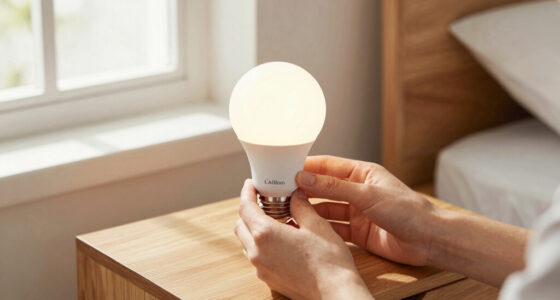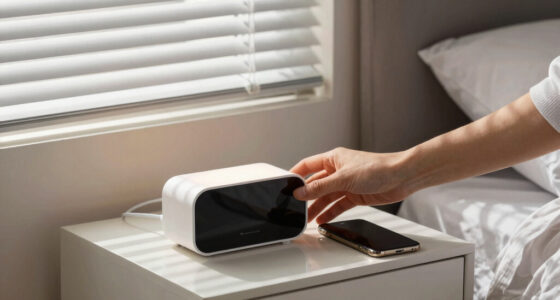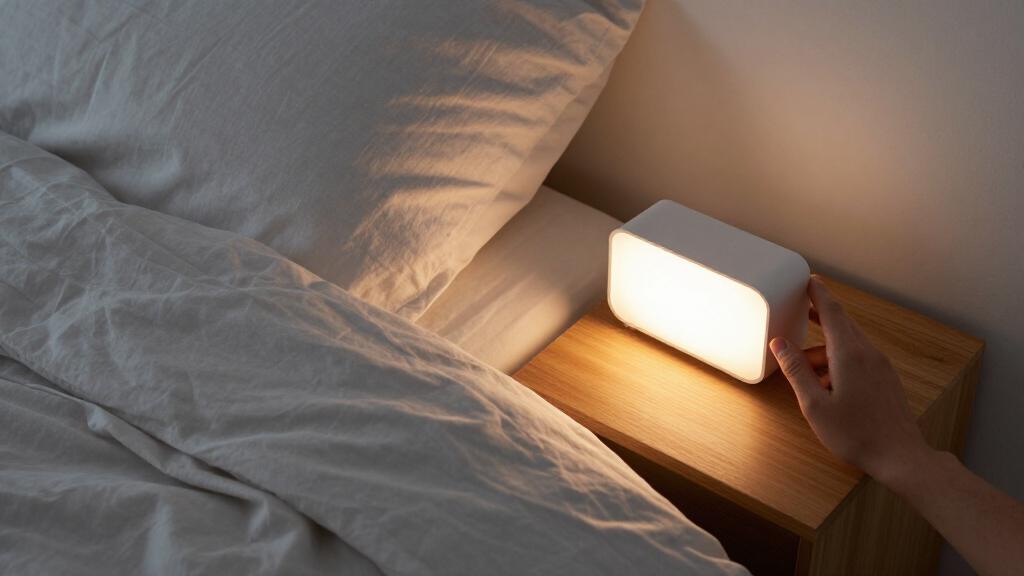
Set up your wake-up light alarm clock to brighten before your chosen wake time and, if you want, play an alarm sound. This guide is for first-time users who need to set the clock, choose an alarm schedule, adjust the light and sound, and confirm the alarm works before relying on it. Most setups take 15-25 minutes; allow a morning to judge whether the brightness and timing suit you.

Get wellness gear delivered free with Prime
- Fast, free delivery on millions of items
- Prime Video, Amazon Music and more included
- Member-only deals all year

Philips SmartSleep Wake-Up Light HF3520/60
- ✔ Model: HF3520/60
- ✔ Light routine: Sunrise and sunset simulation
- ✔ Wake-up sounds: 5 natural sounds

JALL Full-Screen Sunrise Alarm Clock with White Noise, FM Radio, and Bluetooth Speaker
- ✔ Sunrise: Gradual brightening over 10–60 minutes
- ✔ Alarms: Dual alarms; everyday, weekday, and weekend routines
- ✔ Snooze: Customizable from 5–20 minutes
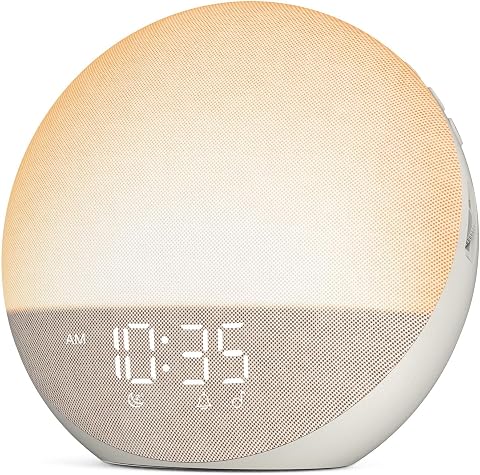
Odokee Sunrise Alarm Clock and White Noise Machine
- ✔ Sunrise: Customizable from 5–60 minutes
- ✔ Sound options: 25 sounds
- ✔ Alarm sounds: 7
Difficulty: Beginner | Time: 15-25 minutes, plus one morning to evaluate the settings
What You’ll Need
Tools & Materials:
- Wake-up light alarm clock
- Power adapter and cable supplied with the clock
- Quick-start guide or manual for the model
- A nearby power outlet
- Phone or another clock showing the correct local time
Knowledge:
- Basic use of buttons, dials, or a touchscreen
- Ability to identify the alarm time and current time
Place the clock where its light can reach your face without shining directly into your eyes. Check the manual for model-specific controls, backup-battery behavior, and whether the alarm repeats on selected days. Do not assume the clock has saved a setting until you verify the display or test it.
Philips SmartSleep Wake-Up Light HF3520/60
Philips SmartSleep HF3520/60 is our best overall choice because its feature set stays centered on a complete bedside light routine. It offers sunrise and sunset simulation, five natural wake-up sounds, and an automatically dimming display. The 20-setting reading lamp also gives it a practical role after the alarm, something the sound- and color-heavy JALL and Odokee do not emphasize in the supplied details.Compared with JALL, Philips is less focused on household scheduling: JALL specifically lists dual alarms and everyday, weekday, and weekend routines. Compared with Odokee, Philips includes FM radio and tap snooze, while Odokee offers more sound choices, Bluetooth audio, and physical dials. Those differences make Philips the more composed bedside pick, not the most configurable one.The tradeoff is that the supplied information does not specify a sunrise duration range, multiple alarm schedules, or Bluetooth playback. Buyers who want to tune a long gradual ramp or share a clock between schedules may prefer JALL or Odokee. Still, for someone who values both waking and winding down with light, Philips brings the most coherent blend of sunrise, sunset, and reading-light utility.
Pros:
- Sunrise and sunset simulation support both waking and winding down.
- Five natural wake-up sounds provide alternatives to a conventional alarm tone.
- Reading lamp has 20 brightness settings for bedside use beyond the alarm.
- FM radio, tap snooze, and an automatically dimming display round out the core routine.
Cons:
- The supplied specifications do not list a sunrise-duration range or dual-alarm scheduling.
- Bluetooth audio and a broad sleep-sound library are not included in the listed features.
Best for: We recommend it for sleepers who want a sunrise-and-sunset routine, natural wake-up sounds, FM radio, and a capable bedside reading lamp in one focused unit.
Not ideal for: We would skip it if we need documented dual alarms, Bluetooth audio, extensive sound libraries, or a specified sunrise-duration range.
Bottom line: We recommend Philips for a balanced bedside light routine, especially when sunset simulation and an adjustable reading lamp matter as much as the morning alarm.
“We recommend Philips for a balanced bedside light routine, especially when sunset simulation and an adjustable reading lamp matter as much as the morning alarm.”
JALL Full-Screen Sunrise Alarm Clock with White Noise, FM Radio, and Bluetooth Speaker
When one bedside clock needs to serve more than one routine, JALL’s dual alarms and everyday, weekday, and weekend schedules are the clearest advantage in this lineup. Its sunrise brightens over a selectable 10–60-minute window, giving us more explicit control over the lead-in than the Philips specifications provide. Customizable snooze intervals add another way to adapt the morning alarm.JALL also has the broadest stated combination of sleep and entertainment functions: 25 natural sounds and white noise, FM radio, 17 lighting effects, and a 5W Bluetooth speaker. Compared with Philips, it shifts attention away from a dedicated reading lamp and sunset routine toward scheduling and audio versatility. Odokee is a closer rival for sound and Bluetooth use, but JALL distinguishes itself with weekly alarm presets and a screen blackout mode.That breadth is useful only if we are willing to set it up. The product details note that Bluetooth time syncing requires a phone, and the many modes may take time to configure. We would choose it over the simpler-feeling Philips when alarm flexibility is essential, but skip it if we want a minimal clock with fewer settings to navigate.
Pros:
- Dual alarms include everyday, weekday, and weekend scheduling options.
- Sunrise duration adjusts from 10 to 60 minutes.
- Twenty-five sleep sounds, FM radio, and Bluetooth audio cover varied listening needs.
- L0 screen blackout mode helps keep the display dark at night.
Cons:
- Bluetooth time syncing requires a phone.
- The extensive feature set can take time to configure.
- Its supplied feature list does not include a dedicated adjustable reading lamp or sunset simulation.
Best for: We recommend JALL for households or shift-variable routines that benefit from two alarms, weekly schedule presets, a defined sunrise duration, and multiple audio options.
Not ideal for: We would skip it if we prefer a simple setup, do not want phone-dependent time syncing, or want a dedicated reading lamp and sunset simulation.
Bottom line: We recommend JALL when schedule flexibility and audio choice outweigh the appeal of a simpler bedside light routine.
“We recommend JALL when schedule flexibility and audio choice outweigh the appeal of a simpler bedside light routine.”
Odokee Sunrise Alarm Clock and White Noise Machine
Odokee makes the most sense for buyers who want a capable sound-and-light bedside device but would rather use physical controls than manage an app. Its sunrise is customizable from 5 to 60 minutes, the widest stated minimum-to-maximum span in this comparison, and its buttons and dials keep the core interaction on the unit itself. Three wake-up modes and seven alarm sounds add choice without making phone control part of the routine.Like JALL, Odokee combines 25 sounds with Bluetooth audio through a 5W speaker, so it is a stronger fit than Philips for people who also want a sound machine and personal audio option. JALL, however, is more explicit about dual alarms and weekly schedules, and it adds FM radio and screen blackout mode. Philips remains the more focused pick for sunset simulation and reading, while Odokee trades those functions for a multicolor night light and a fully dimmable display.The main limitation is the missing app-based control, which will suit some buyers and frustrate others. Its sound quality is described as clear, but no further performance detail is provided, so we should not choose it on the assumption that the speaker replaces a dedicated audio system. For straightforward, tactile operation, though, physical buttons and dials give it a distinct advantage over a feature set that might otherwise feel crowded.
Pros:
- Customizable sunrise duration runs from 5 to 60 minutes.
- Twenty-five sounds and seven alarm sounds offer several ways to shape the routine.
- Physical buttons and dials avoid dependence on an app.
- Display dimming and 12 night-light colors offer bedside light control.
Cons:
- It has no app-based controls.
- The supplied sound information does not give detailed speaker-performance specifications.
- Dual alarms, FM radio, and sunset simulation are not listed.
Best for: We recommend Odokee for people who want adjustable sunrise lighting, a large sound selection, Bluetooth playback, and direct physical controls without app-based operation.
Not ideal for: We would skip it if we need app controls, dual-alarm schedules, FM radio, or a dedicated reading lamp and sunset routine.
Bottom line: We recommend Odokee as the hands-on alternative for buyers who want customizable sunrise light and broad sound choice without app controls.
“We recommend Odokee as the hands-on alternative for buyers who want customizable sunrise light and broad sound choice without app controls.”
As an Amazon Associate we earn from qualifying purchases.
Before You Start
Keep the manual nearby because button names and menu sequences vary by model. Some clocks have separate controls for the current time, alarm time, alarm enablement, and weekday schedule. A blinking display often means a value is waiting to be set, not that the clock has saved it. If the clock has a backup battery, fit it as directed; it may preserve settings during a power cut but may not power the lamp or sound. Use a separate alarm for your first morning until you have tested this clock.
Step-by-Step Instructions
Step 1: Choose a suitable location
Set the clock on a stable bedside surface, near an outlet, with the light facing toward your sleeping position. Keep the display visible from bed and leave room to reach the controls. Route the power cable so it will not be pulled, pinched, or caught under bedding.
Tip:Start with the clock at the same height as your head or slightly higher. You can adjust its position after checking how the light reaches the bed.
Check: The clock is stable, connected without a stretched cable, and its light can face you without being blocked by furniture.
Step 2: Connect power and set the current time
Plug the supplied adapter into the clock and a wall outlet. Turn the device on if it has a power switch. Open the time-setting control indicated in the manual, then set the current hour and minute using the buttons, dial, or touchscreen. Choose AM or PM if the display uses a 12-hour format, or confirm the 24-hour format is correct. Press the save, confirm, or clock button if required.
Tip:Check for a 12-hour/24-hour option before entering the alarm time. A morning time entered as PM can shift the alarm by half a day.
Check: The display shows the correct local time and stops blinking. Wait a minute and confirm the minute changes normally.
Step 3: Set the alarm time and repeat days
Open the alarm-setting control rather than the current-time setting. Enter the time you want to wake, check AM or PM, and save it. Select the days the alarm should run, such as weekdays or every day. If you need different times on different days, set a second alarm only if your model supports it and the manual explains how to enable it.
Tip:Check the day indicator as well as the time. Some models use a separate alarm for each day, while others apply one schedule to all selected days.
Check: The display shows the intended alarm time and the correct repeat-day indicators.
Step 4: Choose the light and sound behavior
Set the sunrise duration, maximum brightness, and any color option available on your clock. A longer light ramp starts earlier; for example, a 30-minute ramp for a 7:00 a.m. alarm begins at 6:30 a.m. Choose an initial brightness that is comfortable in a dark room. Then select whether you want a sound, radio, or light-only alarm, and set its volume. Enable the alarm using the model’s alarm-on control.
Tip:If you are unsure where to start, use the manufacturer’s default sunrise duration and a moderate brightness and sound level. Adjust after trying it rather than setting the light to full brightness immediately.
Check: The alarm-on symbol or indicator is visible, and the selected light duration and sound settings appear in the display or menu.
Step 5: Test the light, sound, and controls
Use the test, demo, or preview function described in the manual. Watch the light turn on and change brightness, and listen for the selected sound at the chosen volume. Check that snooze and alarm-off controls work, then return the alarm to its enabled state. If there is no preview function, temporarily set the alarm for a few minutes ahead while you are awake, observe the result, and restore your intended alarm time afterward.
Tip:Do not rely on a quick tap if your model requires holding a button to switch the alarm on or off. Confirm the alarm indicator remains visible after leaving the settings menu.
Check: The light responds, the sound plays if selected, and you can silence or snooze the alarm. The intended wake time is restored and the alarm remains enabled.
Step 6: Check the first morning’s result
Leave the clock in its chosen position overnight and note whether the light begins at the expected time, reaches a useful brightness, and plays sound as selected. If you sleep through the light, increase brightness, move the clock closer, or choose a longer ramp. If it feels too bright or starts too early, reduce brightness or shorten the ramp. Change one setting at a time so you can tell what helped.
Tip:Keep a backup alarm for the first few mornings, especially if waking at a particular time is necessary. Remove the backup only after the light alarm has worked reliably.
Check: You wake at the intended time, can see or hear the alarm operating as expected, and know which settings to adjust for comfort.
Common Mistakes to Avoid
- Setting the alarm time in the current-time menu, or the current time in the alarm menu. — Use the manual to identify each control, then read the displayed time and alarm indicator before leaving setup.
- Entering the correct hour with the wrong AM/PM value or an unintended 12/24-hour format. — Check the clock format and AM/PM marker before saving. Compare both current and alarm times with a trusted clock.
- Setting an alarm time but leaving the alarm disabled or selecting the wrong days. — Look for the alarm-on symbol and confirm the repeat-day indicators after saving.
- Placing the light where bedding, furniture, or its angle blocks it. — Check the light’s path from your pillow, keep the unit stable, and adjust its direction before the first night.
Troubleshooting
Problem: The alarm does not go off at the expected time.
Solution: Check that the clock has power, the alarm indicator is on, the chosen day is selected, and AM/PM and time format are correct. Reset the alarm time, save it, and run a short test. Use a backup alarm until the clock works reliably.
Problem: The light comes on, but it is too dim to wake you.
Solution: Raise the maximum brightness, move the clock closer or orient it toward your face, and try a longer sunrise ramp. Confirm that the light is not covered and that the clock is not in a low-brightness or night mode.
Problem: The sound does not play, or it is too quiet.
Solution: Check that sound is enabled separately from the light, raise the alarm volume, and verify the selected audio source is available. Test the sound while awake and check whether a connected headphone or radio setting is routing audio elsewhere.
Problem: The settings disappear after unplugging the clock or after a power cut.
Solution: Check the manual to see whether backup power is required to retain settings. Install the specified backup battery if supported, then reset the clock and alarm. A backup battery may preserve settings without powering the light or alarm.
What Success Looks Like
The display shows the correct current time and intended alarm time; the selected days and alarm-on indicator are correct; the sunrise light and optional sound pass a test; and the clock remains positioned and powered overnight. After a trial morning, you wake at the intended time or can identify a specific brightness, placement, sound, or duration setting to change.
Next Steps
Keep a backup alarm enabled for the first few mornings. After each trial, adjust one setting at a time and record what changed, especially the sunrise duration, brightness, and position. Check the alarm indicator when changing weekday schedules or after a power interruption. Clean the light surface according to the manual and replace backup batteries as specified. Contact the manufacturer or retailer if power, settings, or alarm functions fail after you have followed the model’s reset and test instructions.
Frequently Asked Questions
How long should the sunrise light take to brighten?
Use the duration offered by your model and start with its default or a moderate ramp. A longer duration starts earlier and gives the light more time to brighten before the alarm; adjust after observing how you respond.
Can I use the wake-up light without sound?
Many models allow a light-only alarm. Turn off the sound in the alarm settings and test the light on its own. Keep a backup alarm while you check whether the light alone wakes you reliably.
Will the alarm work if the power goes out?
That depends on the model. Some backup batteries retain the time and settings but cannot power the lamp or speaker. Check the manual and use a separate battery-powered alarm if waking during an outage matters.
Where should I place the clock?
Place it on a stable surface with an unobstructed path from the light to your sleeping position. Avoid aiming it directly into your eyes, and keep the cable clear of bedding and walkways.
Why did the alarm work yesterday but not today?
Check whether the schedule is limited to particular days, whether the alarm was switched off after use, and whether a power interruption reset the clock. Reconfirm the current time, alarm time, day indicators, and alarm-on symbol.
Columbus Day / Indigenous Peoples' Day Picks
long weekend sales
As an affiliate, we earn on qualifying purchases.